Data Architectures
Data architectures define how data is collected, stored, transformed, distributed, and consumed within an organization. It’s important to choose the appropriate architecture based on the details of the data and the business use case.
This Lesson Will Cover
- 🏗️ Data Architectures and their key components
- 🗄️ Data Models (Relational, Document, Key-Value)
- 📜 Schemas and their importance
- 🏛️ Data Warehousing concepts
- 🌊 Data Lakes vs Data Warehouses
- 🏗️ Modern Data Stack Components
Key Components
-
Data Sources
- Internal systems (databases, applications)
- External sources (APIs, third-party data)
- Real-time streams
-
Storage Solutions
- Databases (SQL, NoSQL)
- Data warehouses
- Data lakes
-
Processing Systems
- Batch processing
- Stream processing
- ETL/ELT pipelines
-
Data Governance
- Security and access control
- Data quality
- Compliance requirements
A well-designed data architecture enables organizations to:
- Scale their data operations efficiently
- Maintain date quality and consistency
- Support various use cases from analytics to machine learning
- Ensure data security and compliance
Data Models
A data model defines how data is structured, organized, and related.
It provides a blueprint for how data is stored and accessed.
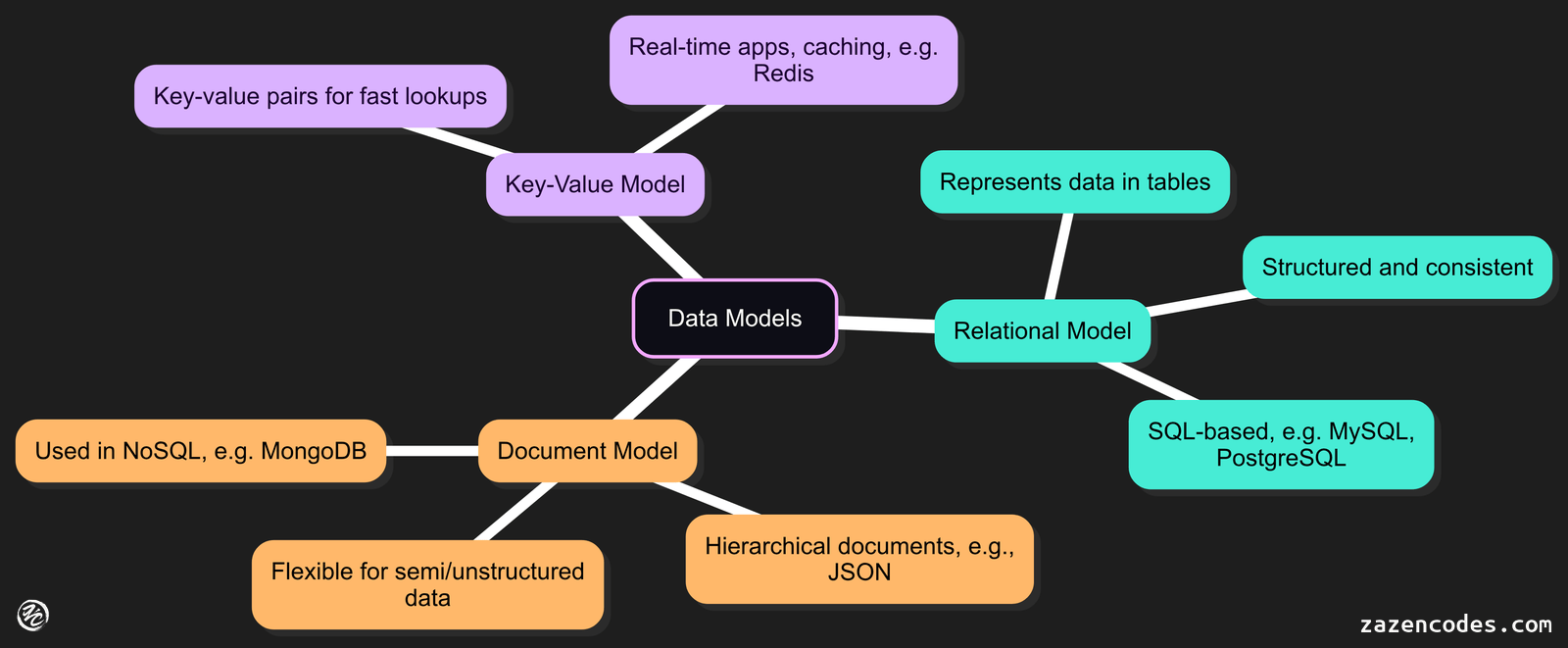
Types of Data Models
Relational Model
- Description: Represents data in tables (rows and columns) with well-defined relationships.
- Strengths:
- Ideal for structured, consistent data.
- Supported by SQL-based systems like MySQL, PostgreSQL.
- Example:
Table: Users
id   name    age
1    John    30
2    Jane    25
Document Model
- Description: Stores data as hierarchical documents, often in JSON format.
- Strengths:
- Flexible, handles unstructured or semi-structured data.
- Used in NoSQL databases like MongoDB.
- Example:
{
  "id": 1,
  "name": "John",
  "age": 30,
  "address": {
    "city": "New York",
    "zip": "10001"
  }
}
Key-Value Model
- Description: Stores data as key-value pairs for fast lookups.
- Use Case: Real-time applications like caching (e.g., Redis).
- Example:
Key: user:1
Value: {"name": "John", "age": 30}
Schemas
A schema defines the structure of data within a database or file.
It includes:
- Field names
- Data types (e.g., string, integer)
- Relationships between entities
Schemas define required storage resources, data types, and relationships.
Example of a Schema
In a relational database:
CREATE TABLE Users (
    id INT PRIMARY KEY,
    name VARCHAR(50),
    age INT
);
In Parquet (stored as metadata):
{
    "fields": [
        {"name": "id", "type": "int"},
        {"name": "name", "type": "string"},
        {"name": "age", "type": "int"}
    ]
}
Schemas act as a contract that specifies memory allocation, disk space requirements, and indexing strategies needed for efficient data operations.
They also enforce consistency and help downstream applications understand how to process the data.
Data Warehousing Concepts
A data warehouse is a centralized repository designed to store and analyze structured data from multiple sources.
It’s optimized for storing and querying large datasets efficiently.
Key Characteristics
- Structured Data: Data warehouses expect consistent, structured data.
- OLAP Workloads: Optimized for OLAP (Online Analytical Processing), such as reporting and analytics.
- Historical Data: Stores large volumes of historical data for trend analysis.
Data Flows

Example Tools
- Amazon Redshift
- Google BigQuery
- Snowflake
Data Lakes vs. Data Warehouses
What is a Data Lake?
A data lake is a storage system that holds raw, unstructured, and semi-structured data. Unlike a data warehouse, it doesn’t require a predefined schema.
Characteristics
- Schema-on-Read: Define the structure when reading the data, not when writing it.
- Use Case: Storing diverse data types, such as images, videos, logs, and text.
Comparison Table
| Feature | Data Lake | Data Warehouse |
|---|---|---|
| Data Type | Unstructured/Semi-structured | Structured |
| Schema | Schema-on-read | Schema-on-write |
| Storage Cost | Low | High |
| Performance | Slower for analytics | Faster for analytics |
| Use Case | Raw data storage | Business intelligence |
Modern Data Stack
The modern data stack integrates tools and technologies to efficiently handle data ingestion, transformation, storage, and analysis. Here’s an overview of its components:
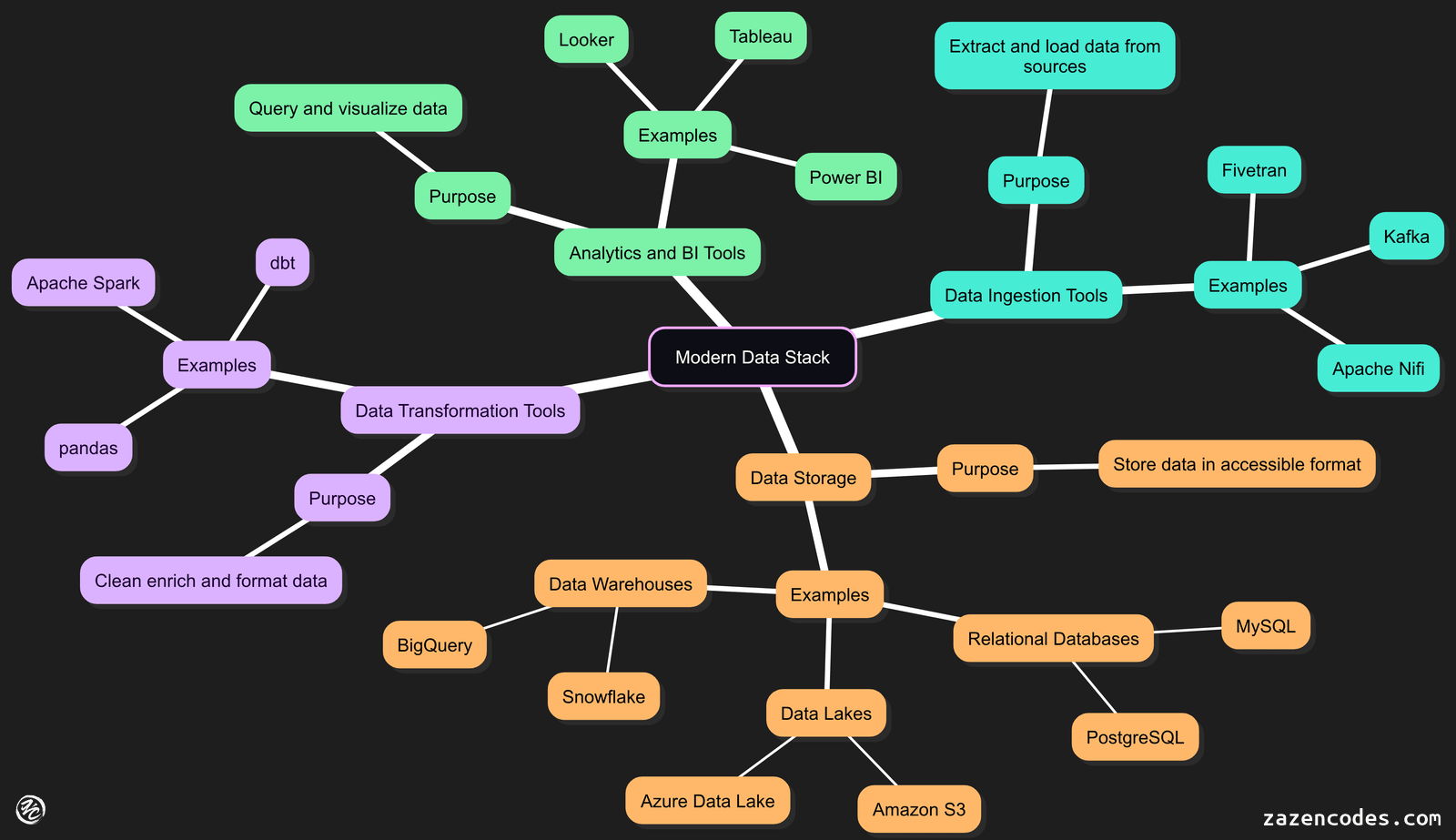
Data Ingestion Tools
- Purpose: Extract data from source systems and load it into storage.
- Examples: Fivetran[1], Kafka, Apache Nifi.
Data Storage
- Purpose: Store data in an accessible format.
- Examples:
- Relational databases (PostgreSQL, MySQL).
- Data lakes (Amazon S3, Azure Data Lake).
- Data warehouses (Snowflake, BigQuery).
Data Transformation Tools
- Purpose: Clean, enrich, and format raw data for analysis.
- Examples: dbt, Apache Spark, pandas (for smaller-scale transformations).
Analytics and BI Tools
- Purpose: Query and visualize data.
- Examples: Looker, Tableau, Power BI.
Example Modern Data Architecture Workflow:
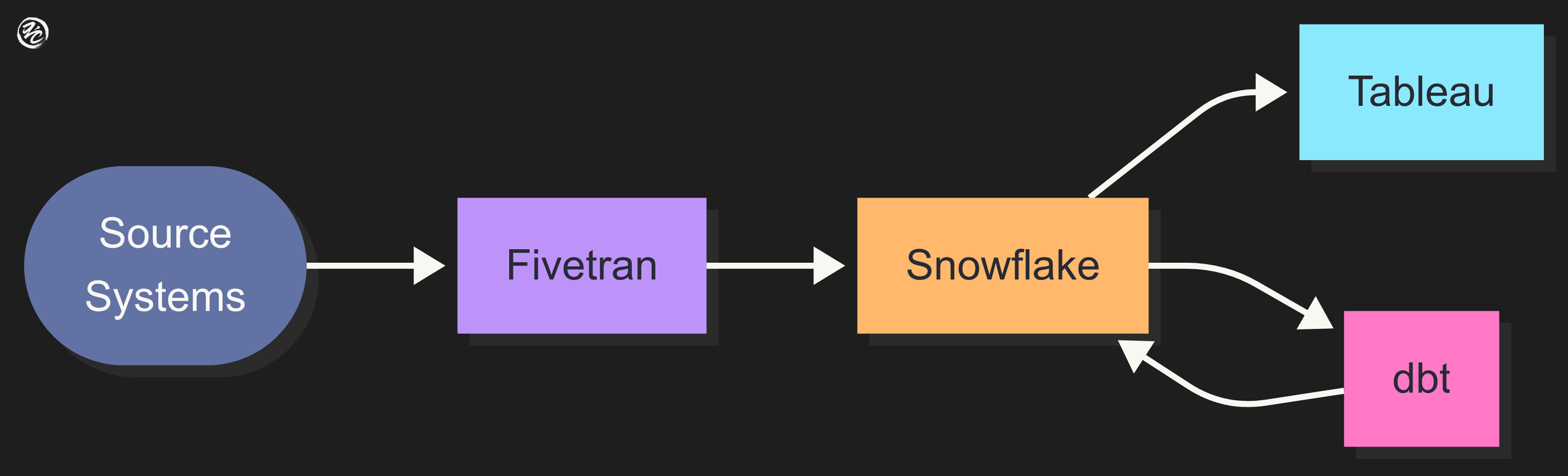
Each component plays a role in ensuring data flows properly from raw sources into platforms and tooling that enable actionable insights.
Conclusion
Understanding the principles of data architecture allows us to understand the data used for ML/AI: why it’s structured the way it is and how to effectively process and utilize it for building machine learning models.
Key Takeaways
🏗️ Data architectures define how data flows through an organization.
📊 Different data models (Relational, Document, Key-Value) serve different use cases.
🏛️ Schemas help maintain data consistency and structure.
🏢 Data warehouses are optimized for structured, analytical workloads.
🌊 Data lakes provide flexible storage for raw, unstructured data.
🔄 Modern data stacks combine multiple tools for end-to-end data processing.
Next: Data Pipelines
Up next, we’ll talk about pipelines. Not the controversial kind (e.g., oil pipelines in Western Canada). We’re talking about the data kind.
Footnotes
Much as I hate to say it, no-code data engineering tools like Fivetran are a great idea for many businesses. You trade dev time ($) for a relatively low platform cost, and you get good (probably better) data quality and reliability. From our perspective as software engineers, this topic brings to mind a relevant idea from Lane Wagner “When you’re making a business decision, it’s generally good to pick the simplest, fastest, and cheapest option. When you’re making a career decision, it pays to be an expert in hard things.” ↩︎
Comments (0)
No comments yet.