Model Serving
Deploying ML applications to production requires a whole other set of skills and tools than what we’ve talked about in this section.
So let’s look at some of the ways that we can go about serving our models.
This Lesson Will Cover
- 🐍 Python API Development (Flask, FastAPI)
- ☁️ AWS Deployment Tools (SageMaker, Lambda, ECS/EKS)
- 🔵 GCP Deployment Tools (Vertex AI, Cloud Functions)
- 📦 Containerized Services
- 🚀 Model Serving Frameworks
Python API Development
Flask for Model Serving
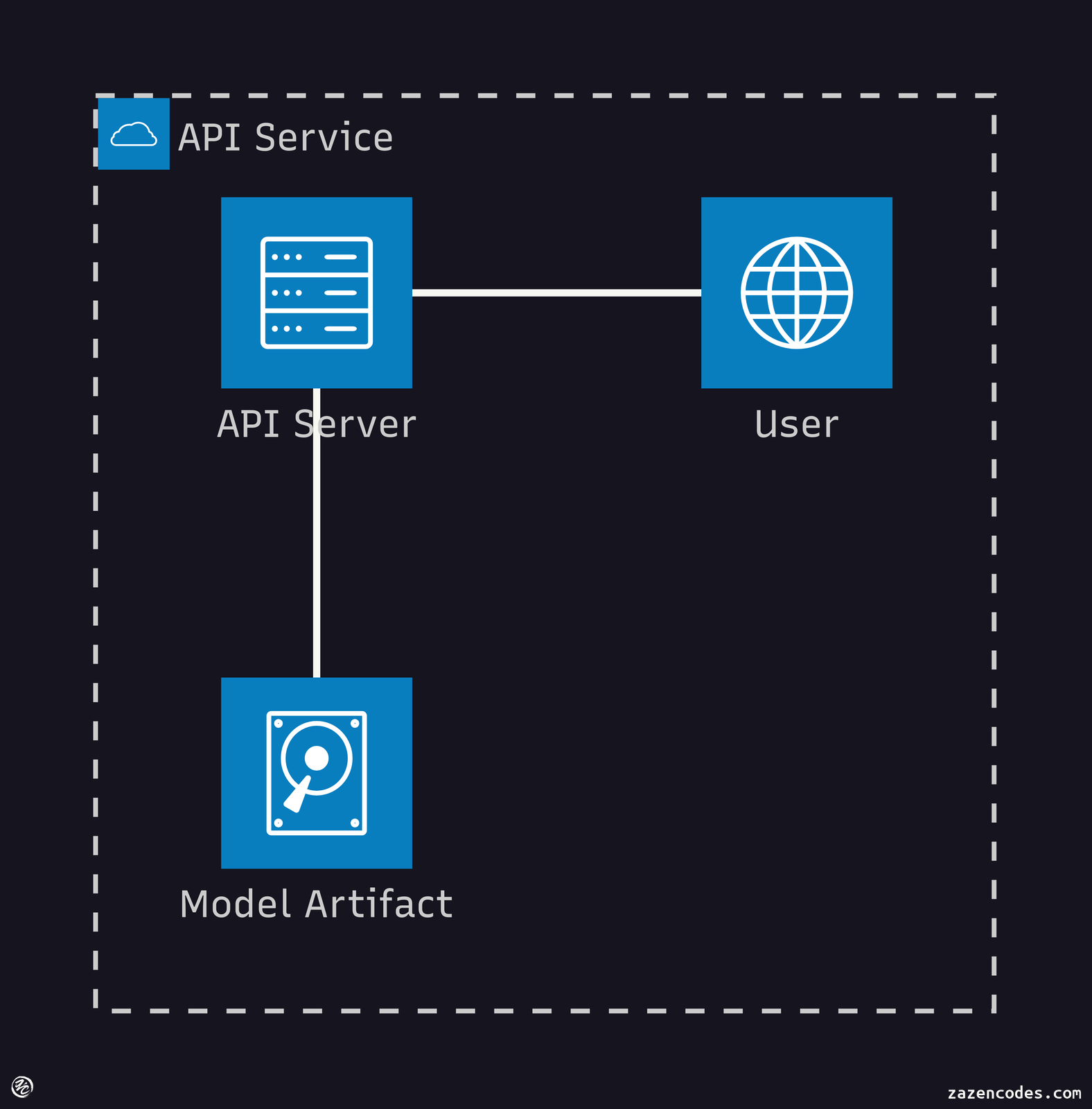
Flask is a lightweight web framework in Python that’s widely used for creating APIs to serve machine learning models.
It’s simple, robust, and easy to integrate with existing ML workflows.
Example: Serving a Scikit-learn model with Flask
from flask import Flask, request, jsonify
import pickle

# Load a trained model
model = pickle.load(open("model.pkl", "rb"))

app = Flask(__name__)

@app.route("/predict", methods=["POST"])
def predict():
    data = request.get_json()  # Get JSON data from request
    prediction = model.predict([data["features"]])
    return jsonify({"prediction": prediction.tolist()})

if __name__ == "__main__":
    app.run(debug=True)
FastAPI for Model Serving
FastAPI is a modern web framework for building APIs, offering high performance and easy integration with OpenAPI documentation.
It’s newer than Flask and (for me) feels like the better choice for lightweight APIs.
Example: Serving a PyTorch model with FastAPI
from fastapi import FastAPI
from pydantic import BaseModel
import torch

# Define input data schema
class InputData(BaseModel):
    features: list

# Load a PyTorch model
model = torch.load("model.pt")
model.eval()

app = FastAPI()

@app.post("/predict")
async def predict(data: InputData):
    input_tensor = torch.tensor([data.features])
    output = model(input_tensor).detach().numpy()
    return {"prediction": output.tolist()}

if __name__ == "__main__":
    import uvicorn
    uvicorn.run(app, host="0.0.0.0", port=8000)
AWS Deployment Tools
Amazon SageMaker for Training and Deployment
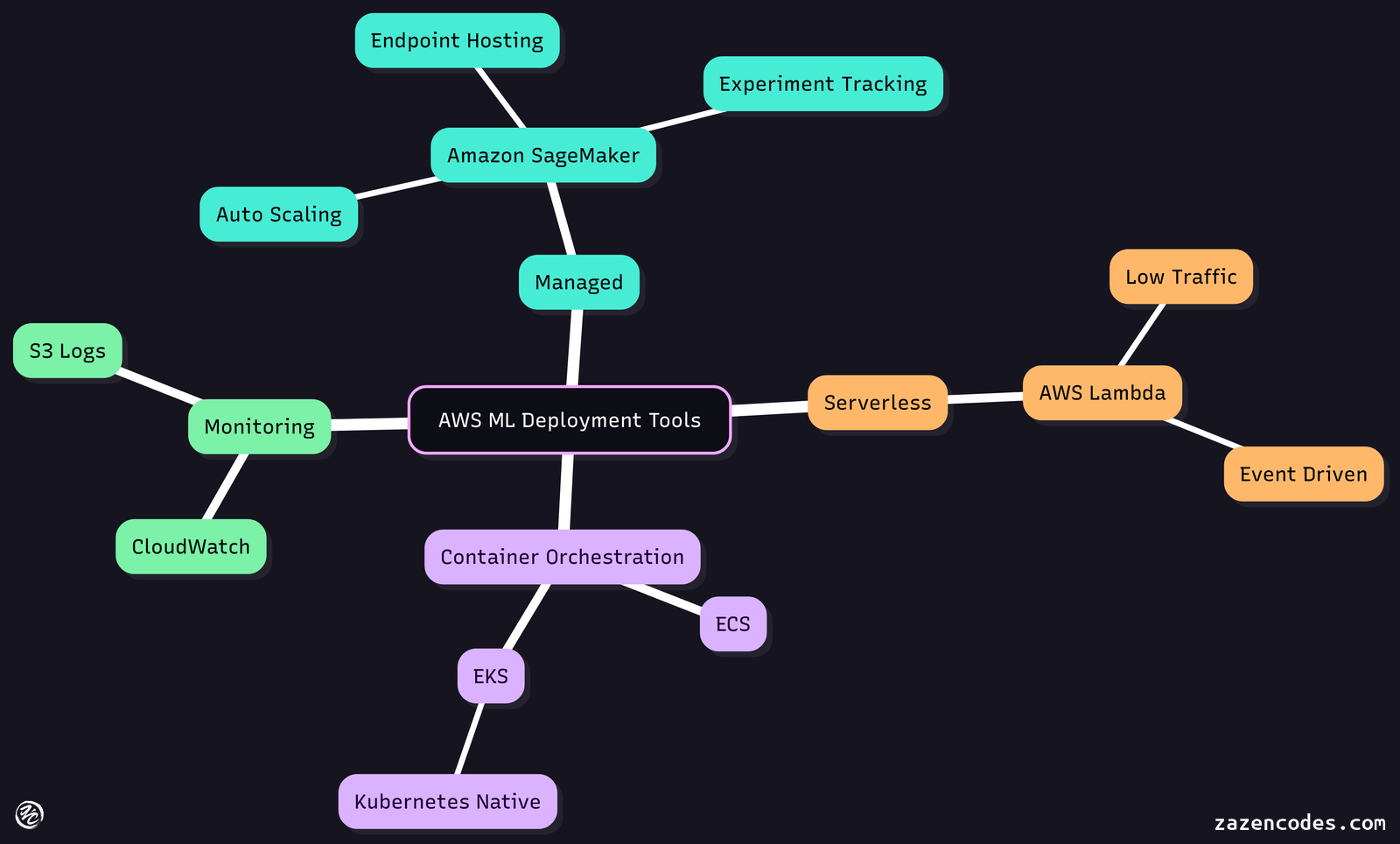
Amazon SageMaker is a fully managed service for end-to-end machine learning workflows, from training to deployment.
Key Features for Deployment:
- Endpoint Hosting: Deploy models as RESTful endpoints.
- Auto Scaling: Adjust compute resources based on traffic.
Example workflow with SageMaker
- Train a model in SageMaker:
import sagemaker
from sagemaker.sklearn import SKLearn

# Initialize SageMaker session
sagemaker_session = sagemaker.Session()

# Replace with your actual IAM role ARN or the role name attached to your SageMaker environment
role = "arn:aws:iam::123456789012:role/SageMakerExecutionRole"

# Create SKLearn estimator
sklearn_estimator = SKLearn(
    entry_point="train.py",
    role=role,
    instance_count=1,
    instance_type="ml.m5.xlarge",
    framework_version="0.23-1"
)

# Start training job
sklearn_estimator.fit({"train": "s3://bucket/train/"})
- Deploy the model using a SageMaker endpoint:
# Deploy the trained model
predictor = sklearn_estimator.deploy(
    initial_instance_count=1,
    instance_type="ml.t2.medium",
    endpoint_name="sklearn-endpoint"
)
- Use the endpoint for real-time predictions:
# Make predictions using the endpoint
import json

# Prepare input data
data = {"features": [1.0, 2.0, 3.0, 4.0]}

# Get predictions
response = predictor.predict(json.dumps(data))
predictions = json.loads(response)

# Clean up (optional)
predictor.delete_endpoint()
AWS Lambda for Serverless Inference
AWS Lambda is a serverless compute service that can be used for low-latency model inference without managing servers.
Unlike SageMaker, which requires dedicated endpoints, Lambda can be used to host APIs such as the ones we created above using Flask/FastAPI.
We can package our model and inference code into a Lambda function and expose it through API Gateway to create a scalable prediction service.
Benefits:
- Cost-effective for low-traffic applications.
- Easy integration with other AWS services like API Gateway.
- Flexible runtime environment supporting multiple programming languages and frameworks.
Amazon ECS/EKS for Containerized Deployment
Amazon ECS and Amazon EKS provide container orchestration services that are good options for deploying ML models when we need more control over the infrastructure and deployment process compared to serverless options like Lambda.
Key Features:
- Container Orchestration: Manage containerized applications at scale.
- Resource Control: Fine-grained control over compute resources.
- Custom Dependencies: Support for large models and complex dependencies.
- Long-running Processes: No time limits, unlike Lambda’s 15-minute maximum.
- Cost Optimization: More cost-effective for consistent, high-throughput workloads.
ECS is simpler to set up and manage, and uses an “AWS-opinionated solution for running containers at scale”.
EKS is like this but for deploying containerized Kubernetes services. As you could imagine, this makes it more complicated, but it’s might be the better choice if we’re already using or want to adopt Kubernetes.
GCP Deployment Tools
Vertex AI for Training and Deployment
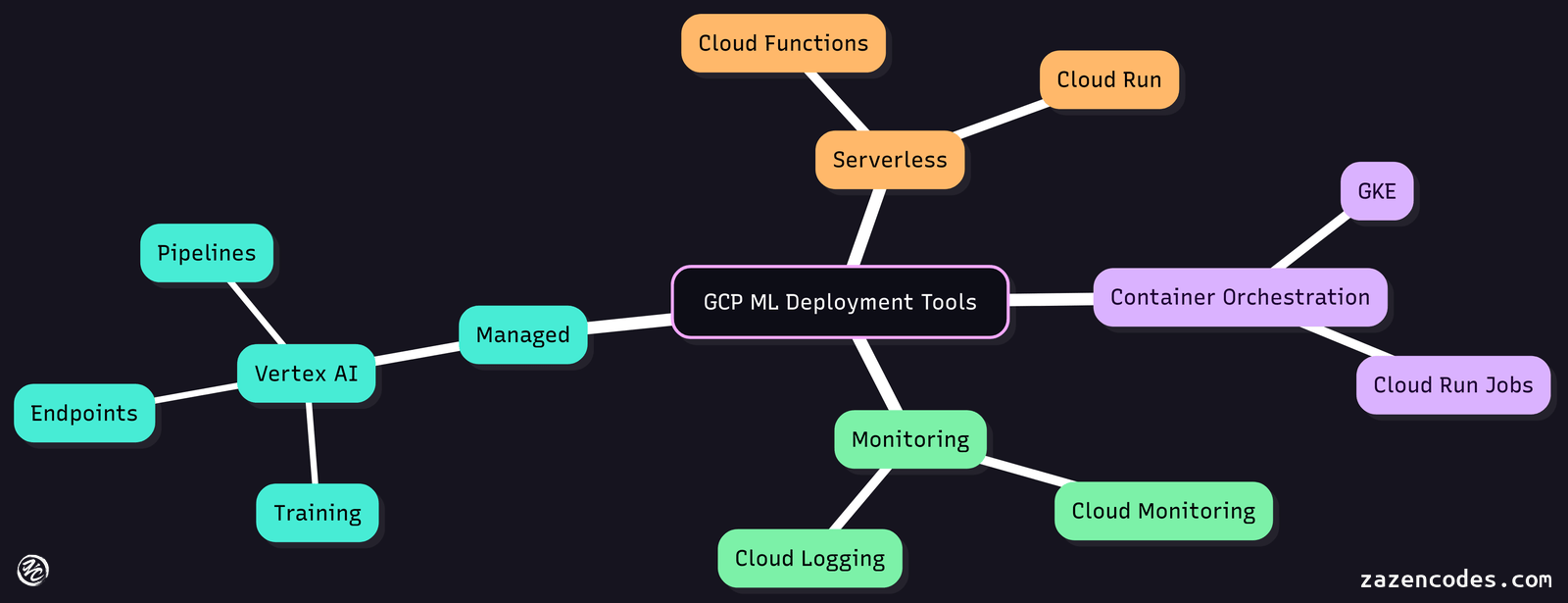
Vertex AI is Google’s integrated platform for ML workflows, including model training, evaluation, and deployment.
It’s comparable to AWS’s SageMaker.
Example: Training and deploying a model with Vertex AI
from google.cloud import aiplatform

# Initialize Vertex AI
aiplatform.init(project="your-project-id", location="us-central1")

# Create a training job
job = aiplatform.CustomTrainingJob(
    display_name="my-training-job",
    script_path="train.py",
    container_uri="gcr.io/cloud-aiplatform/training/scikit-learn-cpu.0-23:latest"
)

# Start training
model = job.run(
    dataset=my_dataset,
    model_display_name="my-trained-model",
    machine_type="n1-standard-4"
)

# Deploy the model
endpoint = model.deploy(
    machine_type="n1-standard-2",
    min_replica_count=1,
    max_replica_count=3
)

# Make predictions
response = endpoint.predict(instances=[{"features": [1.0, 2.0, 3.0, 4.0]}])
Cloud Functions for Serverless Deployment
Google Cloud Functions allows us to serve models with serverless compute.
It’s comparable to AWS Lambda.
Example: Creating a prediction endpoint with Cloud Functions
from google.cloud import storage
import functions_framework
import pickle

# Initialize storage client
storage_client = storage.Client()

# Load model from Cloud Storage
def load_model():
    bucket = storage_client.bucket("your-bucket")
    blob = bucket.blob("model.pkl")
    model_data = blob.download_as_bytes()
    return pickle.loads(model_data)

model = load_model()

@functions_framework.http
def predict(request):
    request_json = request.get_json()

    if not request_json or "features" not in request_json:
        return {"error": "Invalid input"}, 400

    prediction = model.predict([request_json["features"]])
    return {"prediction": prediction.tolist()}
This can be deployed using the gcloud CLI, e.g.
# Set your GCP project
gcloud config set project your-project-id

# Deploy the function
gcloud functions deploy predict \
    --runtime python39 \
    --trigger-http \
    --allow-unauthenticated \
    --region us-central1 \
    --memory 512MB
Cloud Run / Google Kubernetes Engine (GKE) for Containerized Services
Google Cloud Run is good for deploying containerized ML applications. It automatically scales based on request volume. It’s similar to AWS’s ECS.
Google Kubernetes Engine provides serverless orchestration for deploying ML models with Kubernetes. It’s similar to AWS’s EKS.
Comparison: AWS vs. GCP Deployment Tools
| Feature | AWS Tools | GCP Tools |
|---|---|---|
| Serverless | Lambda | Cloud Functions |
| Containerized Services | ECS/EKS | Cloud Run/GKE |
| End-to-End Workflow | SageMaker | Vertex AI |
Conclusion
That’s it for ML Fundamentals! I think it’s worth pausing here and considering which part of this topic group you found the most interesting. Try this: give each of these topics a score on a scale of 1-5:
| Topic | Score |
|---|---|
| Machine Learning Algorithms | ? |
| Data Preparation | ? |
| Model Training and Evaluation | ? |
| Tools and Frameworks | ? |
Go ahead and give it a try—don’t look at my scores below until you do.
For me, this looks something like:
- Machine Learning Algorithms: 2
- Data Preparation: 4
- Model Training and Evaluation: 3
- Tools and Frameworks: 5
Which aligns with (and was perhaps influenced by) my interests in data and AI engineering.
Key Takeaways
🐍 Python frameworks like Flask and FastAPI provide lightweight options for serving ML models via APIs.
☁️ AWS offers multiple deployment options: SageMaker for managed ML workflows, Lambda for serverless, and ECS/EKS for containerized deployments.
🔧 GCP provides similar tools with Vertex AI, Cloud Functions, and Cloud Run/GKE for different deployment needs.
⚖️ The choice of deployment tool depends on factors like scale, cost, control requirements, and existing infrastructure.
📦 Containerization is a powerful approach for deploying ML models with complex dependencies.
Next: Deep Learning
Congrats on getting to the end of the ML Fundamentals section. It was definitely the most difficult one. So far. 😈
Next we’re going to talk bout the real powerhouse of modern generative AI: deep learning.
Comments (0)
No comments yet.