Code Quality Standards
It’s one thing to hack together whatever works for a quick data analysis that we’re only going to use once.
But when it comes to writing code that others will need to look at and understand, we’ll want to follow code quality guidelines and clean code practices to help make sure that it’s readable, maintainable, and less error-prone.
So that’s what this section is all about.
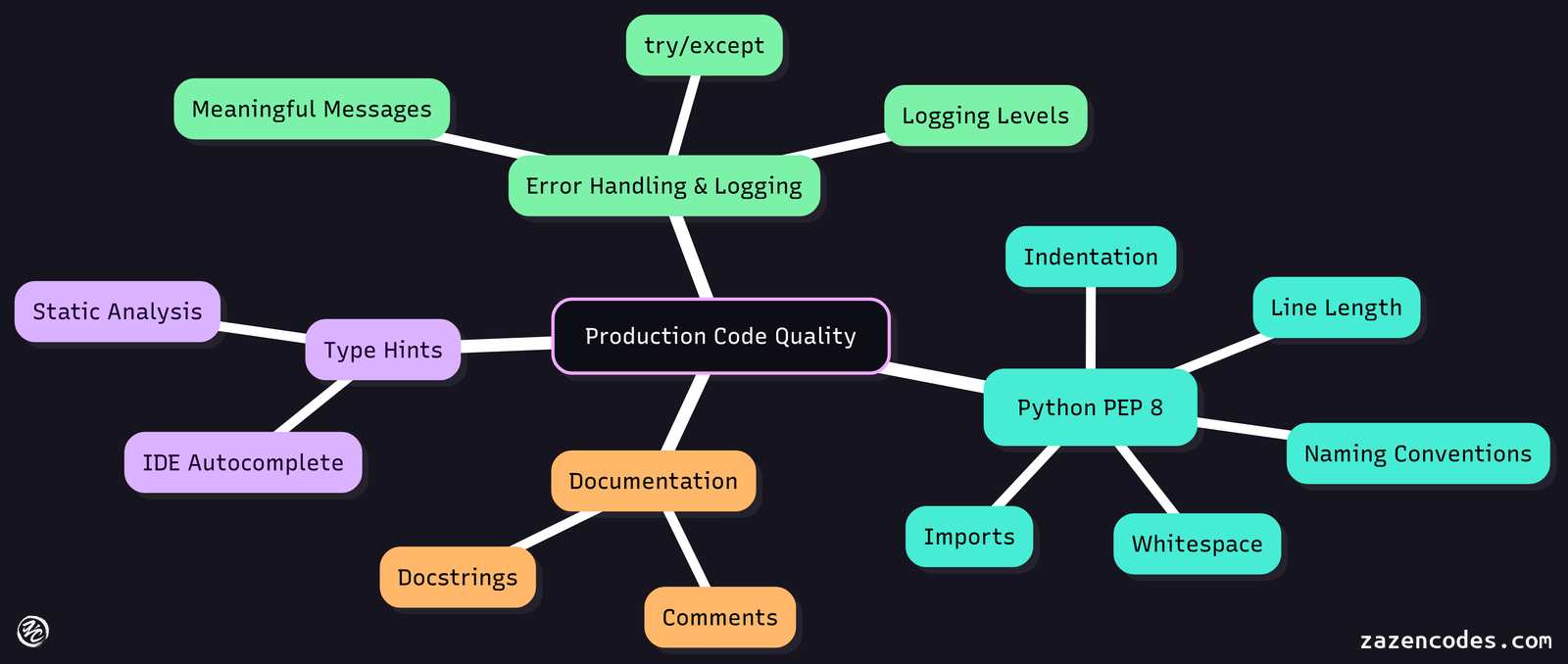
Code standards are a set of guidelines and best practices that developers follow. This will help us write code that looks better and is easier to maintain.
This Lesson Will Cover
- 📜 PEP 8 style guide for Python
- 📝 Code documentation and docstrings
- 🔠 Type hints
- ⚠️ Error handling and logging
PEP 8 Style Guide for Python
PEP 8 is the official style guide for Python code. Following its conventions will help our code look clean and professional, making it easier to read and understand for others (and for ourselves).
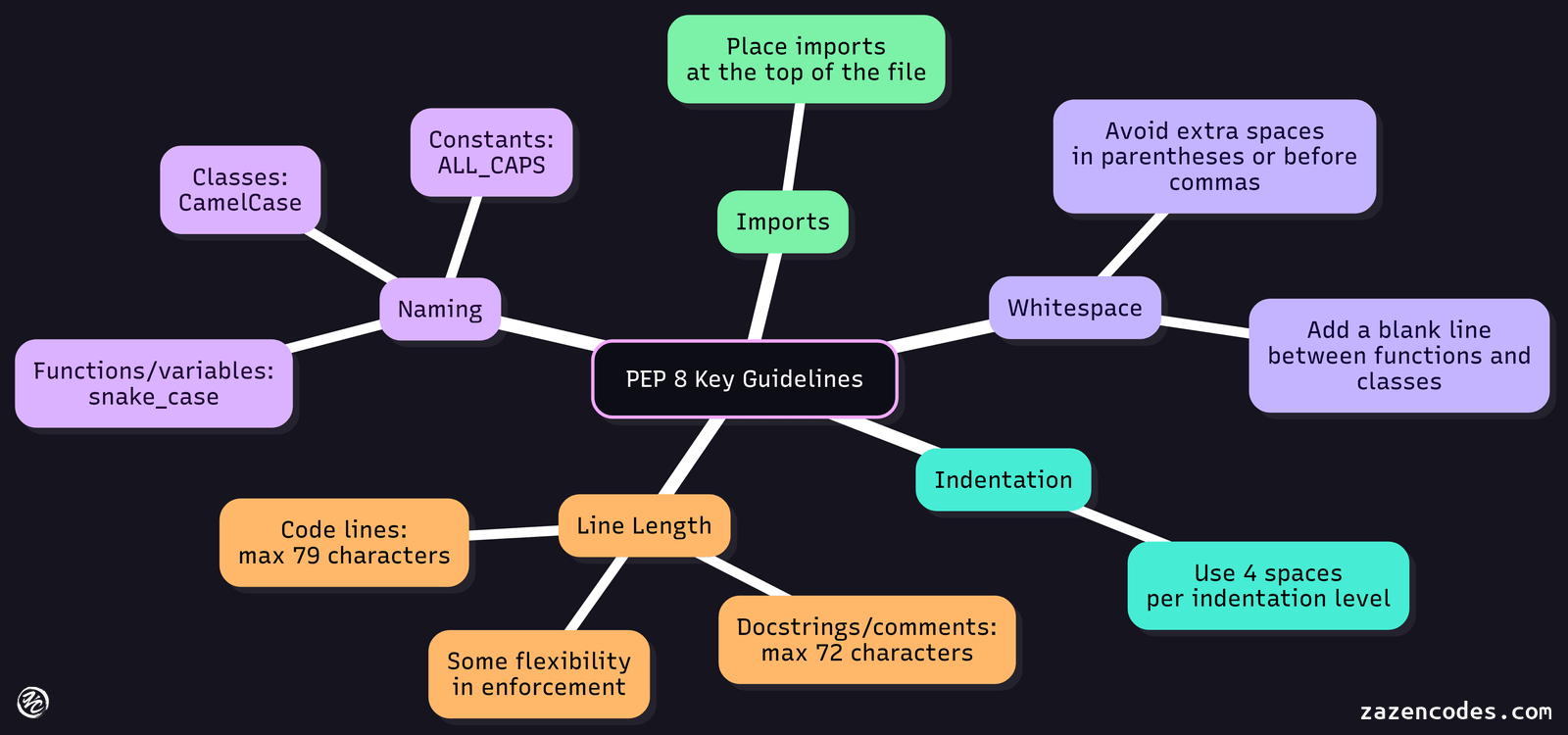
Key PEP 8 Guidelines:
- Indentation: Use 4 spaces per indentation level.
- Line Length:
- Limit code lines to 79 characters
- Limit docstring or comment lines to 72 characters
- This is usually not strictly enforced, e.g. linters might have some “wiggle room” around the 79 and 72 character marks
- Naming Conventions:
- Functions and variables:
snake_case - Classes:
CamelCase - Constants:
ALL_CAPS
- Functions and variables:
- Imports:
- Place imports at the top of the file.
- Whitespace:
- Avoid extra spaces in parentheses or before commas.
- Add a blank line between functions and classes for readability.
Here’s an example of well-formatted code:
import numpy as np

class DataProcessor:
    def __init__(self, data):
        self.data = data

    def clean_data(self):
        return [item.strip() for item in self.data if item]

processor = DataProcessor([" AI ", "  ML", "Data "])
print(processor.clean_data())

# Outputs: ['AI', 'ML', 'Data']
We can use tools like black to automatically format code. This will save us a lot of time.
# Install Black
pip install black

# Format a single file
black your_file.py

# Format an entire directory
black .
To automatically format on save in VS Code:
- Install the Python extension.
- Open VS Code settings (
Ctrl+,). - Search for “Python Formatting Provider”.
- Select “black” as the provider.
- Enable “Format On Save”.
Code Documentation and Docstrings
Properly documented code helps team members (and future you!) understand its purpose and usage. I’ve included some guidelines for commenting code in the Clean Code lesson, but for now, I’ll just cover docstrings.
Writing Good Docstrings
A good docstring should explain:
- What a function, class, or module does.
- Parameters it takes and their types.
- Return value and its type.
Here’s an example:
def calculate_accuracy(predictions: list, labels: list) -> float:
    """
    Calculate the accuracy of predictions against labels.

    Args:
        predictions (list): The list of predicted labels.
        labels (list): The list of actual labels.

    Returns:
        float: Accuracy as a percentage (0-100).
    """
    correct = sum(p == l for p, l in zip(predictions, labels))
    return (correct / len(labels)) * 100
Language models do a pretty good job at generating these for us, especially for functions that perform simple tasks.
Type Hints and Static Typing
Type hints improve code clarity and help prevent errors by making data expectations explicit. I always use type hints so that my linting program flags problems for me during development.
Adding Type Hints
Add type annotations to function parameters and return values. For example:
def get_top_predictions(probs: list[float], threshold: float) -> list[int]:
    """
    Filter predictions based on a threshold probability.
    """
    return [i for i, prob in enumerate(probs) if prob > threshold]
This code will only work with Python 3.9+. For older versions, we can import the appropriate types from the typing library:
from typing import List, Dict

def get_item_lengths(items: List[str]) -> Dict[str, int]:
    """
    Calculate the length of each string in a list.
    """
    return {item: len(item) for item in items}
Error Handling and Logging
Some errors can be expected. By handling them gracefully and logging critical information, we can debug faster and prevent system failures.
Best Practices for Error Handling
- Use try/except blocks to catch and handle specific exceptions.
- Avoid broad exception handling (e.g.,
except Exception:). - Provide meaningful error messages to aid debugging.
Example:
def divide_numbers(numerator: float | int, denominator: float | int) -> float:
    try:
        result = numerator / denominator
        return result
    except ZeroDivisionError:
        print(f"Error: Cannot divide by zero. Attempted: {numerator}/{denominator}")
        raise
Note that the pipe syntax, e.g. float | int was introduced in Python 3.10. Prior to that, we would have had to use typing.Union like this:
from typing import Union
def divide_numbers(numerator: Union[float, int], denominator: Union[float, int]) -> float:
    ...
Logging for Debugging and Monitoring
We should know how to use the logging module to capture information about our code’s execution. Unlike print(), logging can be configured to capture different levels of detail (DEBUG, INFO, WARNING, ERROR).
Here’s an example:
import logging
import re

logging.basicConfig(level=logging.INFO)

def process_data(data: list[str]) -> list[str] | None:
    """
    Extract the first number from each string in the input list.

    Args:
        data (list[str]): List of strings containing numbers

    Returns:
        list[str]: List of extracted numbers as strings, or None
    """
    logging.info(f"Processing {len(data)} items.")

    if not data:
        logging.warning("No data to process.")
        return None

    try:
        processed_data = [re.findall(r'\d+', item)[0] for item in data]
    except IndexError as e:
        logging.error("Failed to extract number from string. No numbers found.")
        return None

    return processed_data

# Example usage
sample_data = ["user123", "order456", "item789"]
result = process_data(sample_data)  # Returns ['123', '456', '789']
process_data([])  # Returns None

# Outputs:
# INFO:root:Processing 3 items.
# INFO:root:Processing 0 items.
# WARNING:root:No data to process.
There are a few interesting things going on here:
- If there’s no input data, we log a warning and return None. This is an expected edge case that we want to monitor but isn’t necessarily problematic.
- We specifically catch IndexError when extracting numbers with regex.
- This handles cases where a string contains no numbers.
- We log the error and return None to allow the application to continue. (Although, in general, we might not want to allow applications to continue after receiving an error. It’s just that we happen to want that in this case.)
- However, we log an error because this is indeed problematic application behavior.
- Any other exceptions are unexpected and will halt execution.
Also, note that above we use list[str] for type hints, but for older versions of Python we would need to use typing.List like this:
from typing import Optional, List
def process_data(data: List[str]) -> Optional[List[str]]:
    ...
Conclusion
I love clean, well-organized code.[1] I strive for it in my projects, and I’m always trying to do it better.
But I’ve still got a lot to learn.
We’ll revisit this line of thinking in the Clean Code lesson (coming up after the next one).
Key Takeaways
📝 Follow PEP 8 to write clean and professional Python code.
📖 Use docstrings to document our functions, classes, and modules effectively.
🔍 Leverage type hints to improve code clarity and catch errors early.
⚠️ Handle errors gracefully with
try/exceptblocks and avoid broad exception handling.🛠️ Use logging instead of print statements for debugging and monitoring code execution.
Next: Testing
Let’s learn about how to test code in Python with pytest.
Footnotes
The Pragmatic Programmer is a beautiful book. I read this thing many years ago and added little sticky notes to just about every other page. ↩︎
Comments (0)
No comments yet.