Testing
Testing is important for writing reliable production code. Obviously.
Pushing to the main branch and rebuilding your production Docker image without testing first… Well, it’s definitely not a great feeling.
This Lesson Will Cover
- ✅ Unit testing with pytest
- 🔗 Integration testing
- 📊 Code coverage metrics
- 📊 Continuous integration
Unit Testing with pytest
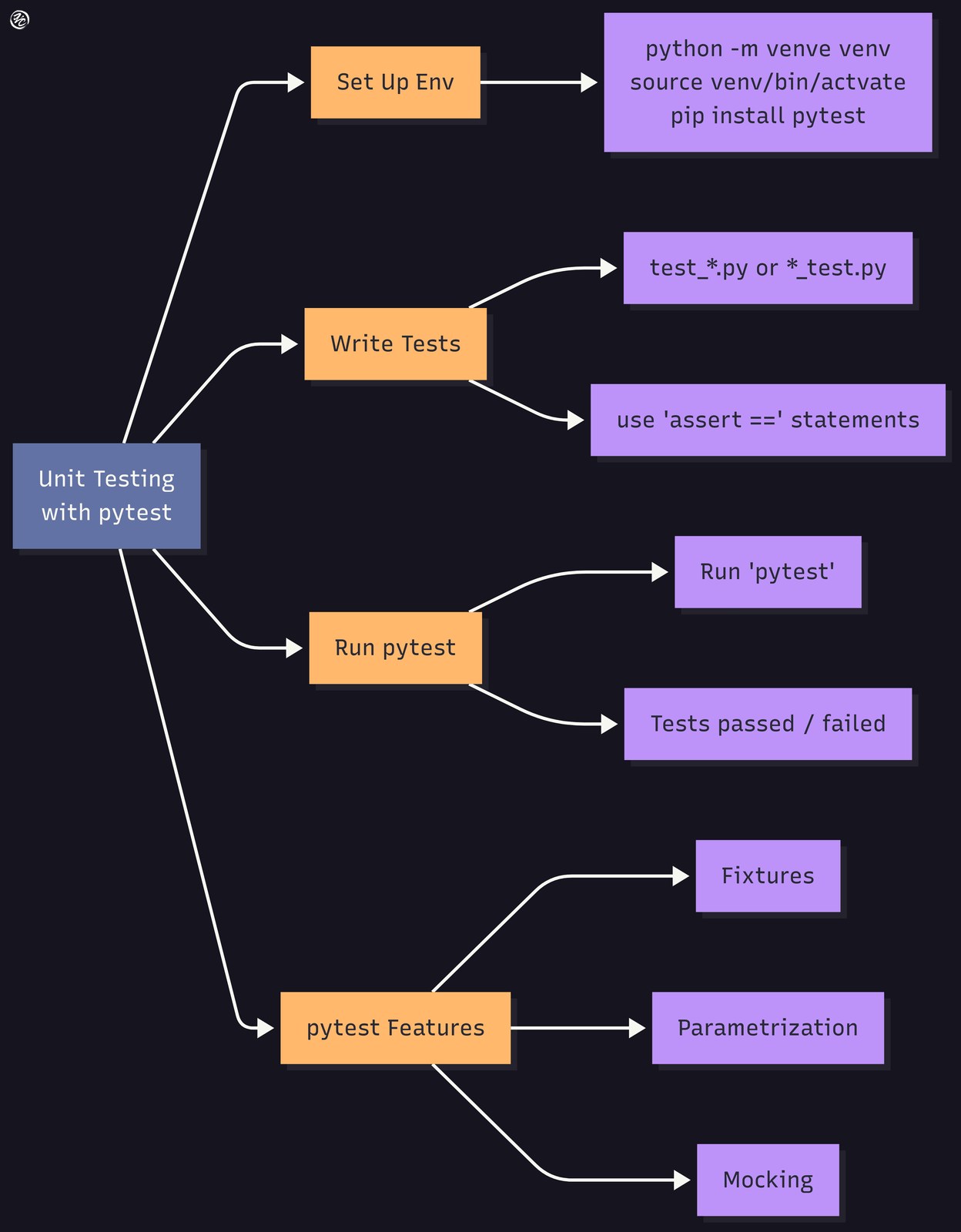
Unit tests focus on testing individual components of your code, like functions, to ensure they work as expected.
pytest is a popular testing framework for Python due to its simplicity and powerful features.
Writing Your First Unit Test
Here’s an example of a unit test using pytest:
# calculator.py
def add(a, b):
    return a + b
# test_calculator.py
from calculator import add

def test_add():
    assert add(2, 3) == 5
    assert add(-1, 1) == 0
Running Tests
First, create and activate a virtual environment:
python -m venv venv
source venv/bin/activate  # On Windows, use: venv\Scripts\activate
Install pytest in your virtual environment:
pip install pytest
Now you should have a directory that looks like this:
.
├── calculator.py
├── test_calculator.py
└── venv/
And you can run the test by executing pytest.
pytest will discover and execute all test files matching test_*.py or *_test.py.
>>> pytest
================================= test session starts ==================================
platform darwin -- Python 3.12.7, pytest-8.3.4, pluggy-1.5.0
rootdir: /Users/alex/Downloads/calculator-project
collected 1 item

test_calculator.py .                                                                                                                                                                                       [100%]

================================== 1 passed in 0.01s ===================================
pytest Features to Explore
- Fixtures: Reusable setup/teardown logic for your tests.
- Parametrization: Run a test with multiple inputs.
- Mocking: Simulate objects or functions for isolated testing.
Example with a fixture:
import pytest

@pytest.fixture
def sample_data():
    return [1, 2, 3]

def test_sample_data_length(sample_data):
    assert len(sample_data) == 3
Integration Testing
Integration tests ensure that different parts of your system work together as expected.
Example: Testing a Data Pipeline
Suppose you have a pipeline that loads data, cleans it, and trains a model. An integration test might look like this:
from my_pipeline import load_data, clean_data, train_model

def test_pipeline():
    raw_data = load_data("data.csv")
    cleaned_data = clean_data(raw_data)
    model = train_model(cleaned_data)
    assert model is not None
    assert hasattr(model, "predict")
Best Practices for Integration Testing
- Test end-to-end functionality, not just individual components.
- Use controlled environments and mock external dependencies (e.g., databases, APIs).
- Ensure the tests reflect real-world usage scenarios.
Code Coverage Metrics
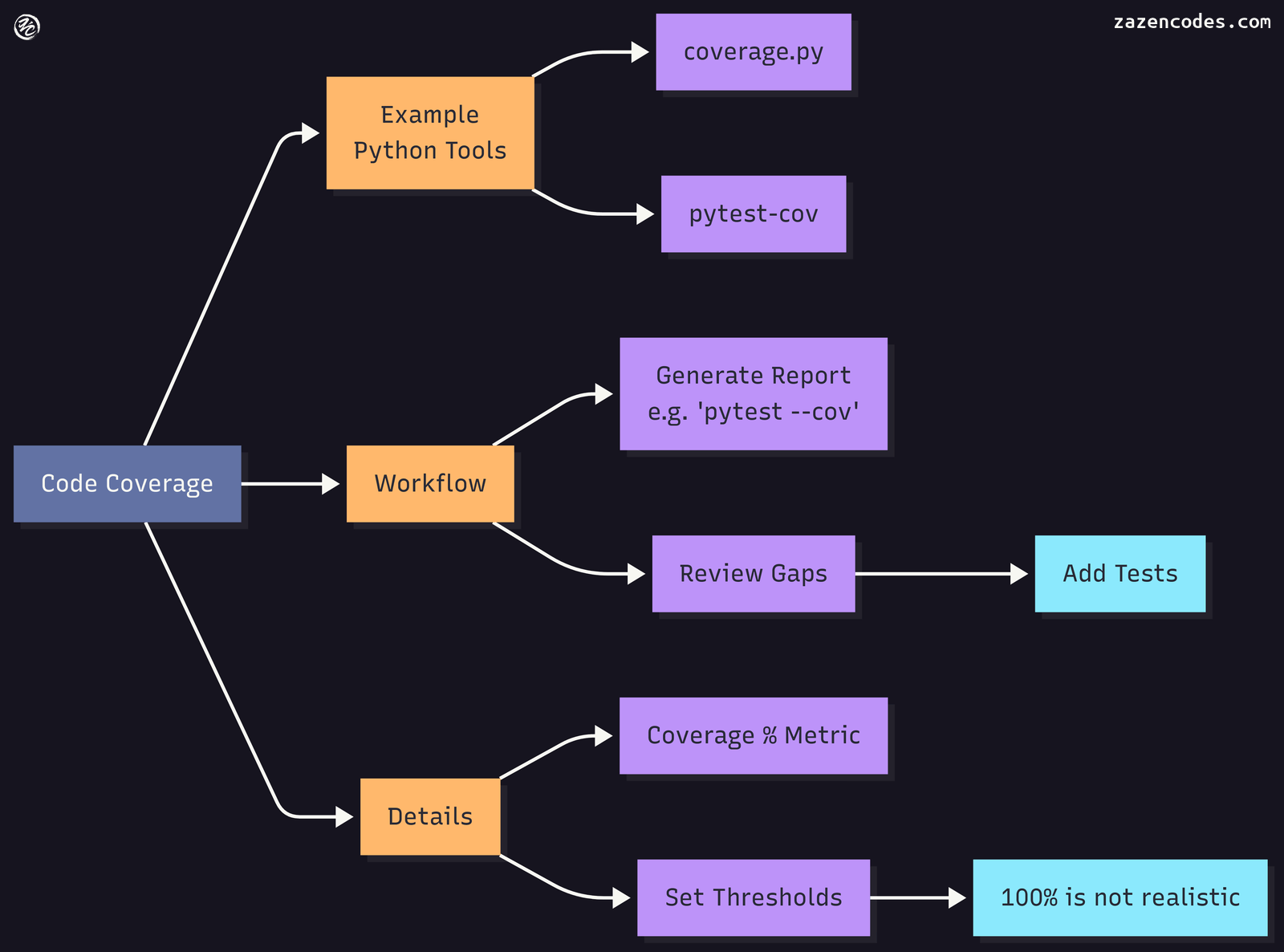
How much of your code is being tested? Code coverage metrics help you measure this. A higher coverage percentage suggests (but of course does not guarantee) fewer untested edge cases.
Tools for Measuring Coverage
- Coverage.py: A Python library to measure code coverage.
- pytest-cov: A pytest plugin for integration with Coverage.py.
Example: Checking Code Coverage
Install pytest-cov:
pip install pytest-cov
Run your tests with coverage enabled:
pytest --cov=my_project
This generates a coverage report showing which lines of code were executed during the tests. Aim for high coverage, but don’t obsess over 100% - some code paths may be impractical to test.
Continuous Integration Practices
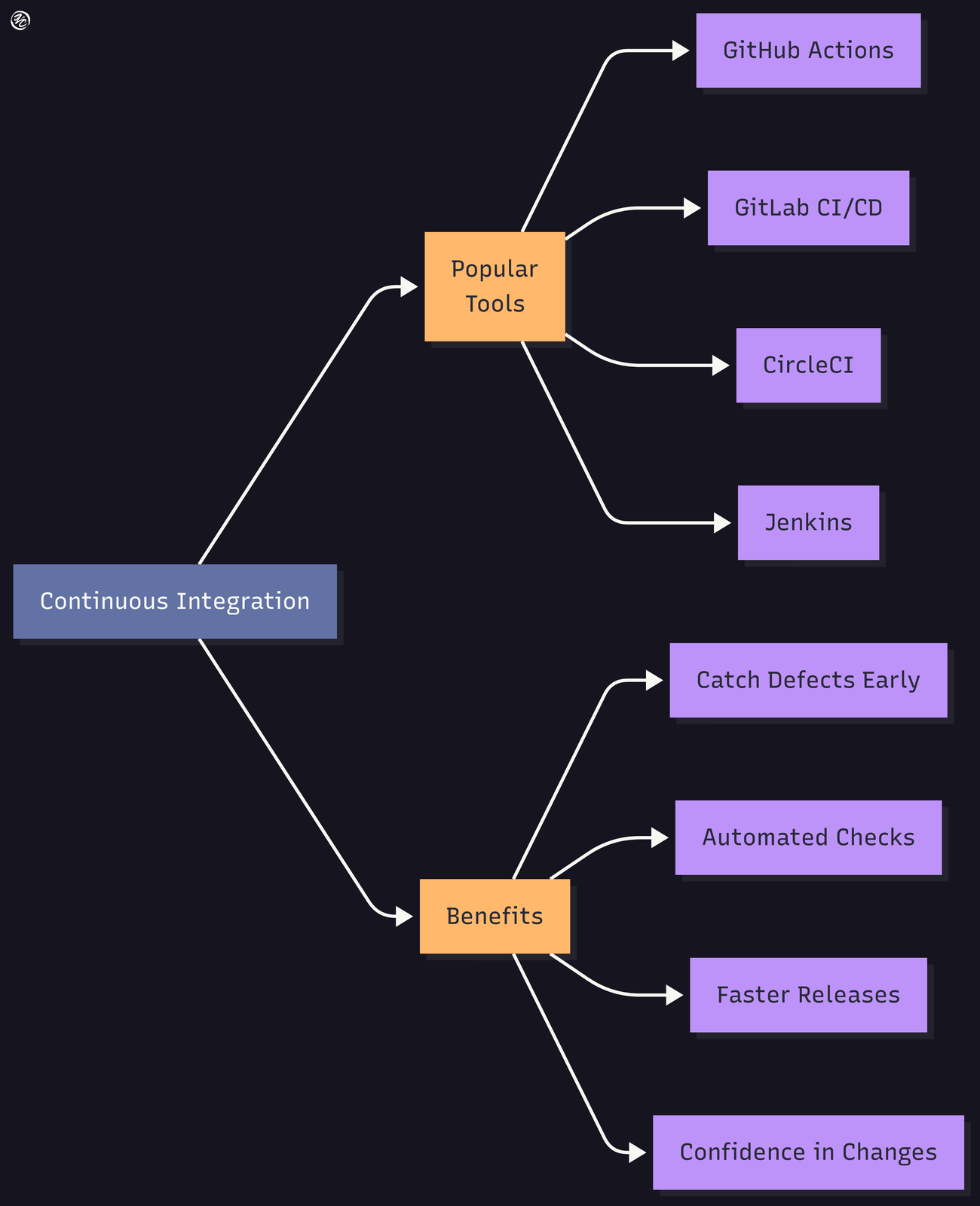
Continuous Integration (CI) ensures that your code is automatically tested every time you make a change, helping catch errors early in the development process.
Popular CI Tools
- GitHub Actions
- GitLab CI/CD
- CircleCI
- Jenkins
Setting Up CI with GitHub Actions
Here’s an example .github/workflows/python-tests.yml file to run your tests with GitHub Actions:
name: Python Tests

on:
  push:
    branches:
      - main
  pull_request:

jobs:
  test:
    runs-on: ubuntu-latest

    steps:
    - uses: actions/checkout@v2
    - name: Set up Python
      uses: actions/setup-python@v2
      with:
        python-version: 3.8
    - name: Install dependencies
      run: |
        python -m pip install --upgrade pip
        pip install pytest pytest-cov
    - name: Run tests
      run: pytest --cov=my_project
This workflow automatically runs your tests whenever you push changes or open a pull request.
Conclusion
When it comes to data applications, testing is really hard. And it’s not done as commonly as it should be. It’s also easy to overcomplicate it. Keep it simple and set up some basic unit and integration tests to get you started. You can build them out as you catch problems that have slipped through the cracks.
A series of ✅ green checkmarks is a great way to ensure a good (or at least, better) night’s sleep after pushing that hotfix to prod.
Key Takeaways
✅ Unit tests verify individual functions or components.
🔗 Integration tests ensure different parts of the system work together.
⚙️ pytest is a popular testing framework for writing and running tests.
🛠️ Fixtures, parametrization, and mocking are powerful features of pytest.
📊 Code coverage helps identify untested parts of your code.
🚀 Continuous Integration (CI) automates testing and prevents regressions.
🔄 GitHub Actions is a popular CI/CD tool for running tests automatically.
Next: Clean Code
Next up, it’s time to make Uncle Bob[1] proud by learning about clean code.
Footnotes
“Uncle Bob” wrote Clean Code. I’ve never read the book, but his ideas are quite famous and I’ve heard about them all over the place. ↩︎
Comments (0)
No comments yet.