How I Use AI for My Data Engineering Work

In this post, I'll show you some of the ways that I've been use AI for my work as a data engineer. You can take the ideas that I'm about to show you and try them with conventional AI tools (e.g. `chat.openai.com` or `claude.ai`), but the spirit of this post is to use integrated AI tools, like Cursor for example. Since I'm a Neovim guy, I'll be using the [Avante AI plugin for NeoVim](https://youtu.be/4kzSV2xctjc), which I have been *verrrrrry much enjoying*. We'll cover: - Using `DEVLOG.md` to track work and scripts - Automating command generation - Enhancing SQL workflows with AI - Streamlining Airflow DAG creation - Improving documentation with AI-powered formatting I also have a video version of this post: <iframe width="800" height="450" src="https://www.youtube.com/embed/ANdjKom1Mh0" frameborder="0" allowfullscreen></iframe> ### 🎥 Watch the Video https://www.youtube.com/watch?v=ANdjKom1Mh0 ### 🪷 Get the Source Code https://github.com/zazencodes/zazencodes-season-2/tree/main/src/neovim-ai-data-eng-tricks ## Tracking Work with `DEVLOG.md` [](https://www.youtube.com/watch?v=ANdjKom1Mh0&t=80) A **developer log (`DEVLOG.md`)** is a simple and effective method that I've been using to maintain a historical log of the work that I do on a project. I use it to: - Track general progress and document decisions - Keep a record of project tasks, e.g. running scripts - Log changes, e.g. for data migrations Below is an example of what my `DEVLOG.md` might look like. This is an actual excerpt from one of my DEVLOG files (with some information obfuscated): > # 2025-01-04 > > Updating extract data source. Need to add: > - url > - competitor_url > - competitor_url_position > > This ended up being pretty easy to implement because I was already extracting it. I only changed `domain/rankings.py` > > Command to run for testing locally. We run the extract in `sequential.py` using this command. Need to be running docker for this to work. > > ```bash > docker compose run --rm --build app python /app/scripts/run_extract.py \ > --start-date '2025-02-12' --end-date '2025-02-12' \ > --skip-missing-serp-logging --test > ``` > > **TODO** > - [ ] Once confirmed working, push code and update remotes > > # 2025-01-02 > > Migrated to new schema. Added `search_intent` (STRING) column: > > ```sql > ALTER TABLE my_table ADD COLUMN search_intent STRING; > UPDATE my_table > SET search_intent = > CASE > WHEN search_query LIKE '%buy%' THEN 'Transactional' > WHEN search_query LIKE '%how to%' THEN 'Informational' > ELSE 'Unknown' > END; > ``` As you can see, using a `DEVLOG.md` helps me **maintain a history of past work**, which is especially useful when working with **data migrations and operational workflows**. > In many of the examples below, it's assumed that I'm working with code snippets in a "`DEVLOG.md`-style" Markdown file such as this. ## Automating Command Generation [](https://www.youtube.com/watch?v=ANdjKom1Mh0&t=183) I love **automating boring stuff** with AI. When I catch myself having to do something repeatedly, I know there's an **opportunity for an LLM** to take the wheel. ### Example: Running Multiple Docker Commands Let's say that I need to run a **Docker command** for some set of report ids: ```text 2025_01_nursing 2025_01_earth 2025_01_chemistry 2025_01_nursing_omitted 2025_01_earth_omitted 2025_01_chemistry_omitted docker compose run --rm app python /app/scripts/fetch_serps.py \ --report-name-id 2025_01_nursing ``` Before AI, I'd have to manually copy and tweak each command, like this: ```plaintext docker compose run --rm app python /app/scripts/fetch_serps.py \ --report-name-id 2025_01_nursing docker compose run --rm app python /app/scripts/fetch_serps.py \ --report-name-id 2025_01_earth docker compose run --rm app python /app/scripts/fetch_serps.py \ --report-name-id 2025_01_chemistry etc... ``` And yes, *there's some fancy way to do this* with Neovim or sed or whatever. But... With AI, I can 1️⃣ Select all of the text, including the docker command and the report ids above it. 2️⃣ Use the AI tool to "edit the block". 3️⃣ Prompt with something like: > Duplicate this docker compose run command for each report-name-id in the list above. 4️⃣ Instantly receive a batch of commands, ready to copy and run! This type of thing can be applied to so many use cases. Once you start looking, you'll see them everywhere. ## AI-Powered SQL Trick [](https://www.youtube.com/watch?v=ANdjKom1Mh0&t=241) SQL, as I talk about in my [AI Engineering Roadmap](https://zazencodes.com/courses/ai-engineer-roadmap/data-engineering/databases/sql-databases) course, is really important and prevalent for technical data professionals. It's super old, and --- when it comes to AI --- LLMs are super good at generating it. ### Example: Merging Tables with Regex Matching Let's have a look at a situation where I got some help from an LLM to write a SQL query for me. For one project, I needed to **match product URLs to categories** using **regular expressions**. The goal was to **map product URLs to categories from a lookup table**. Here's the setup: #### Source Table: `product_urls` | url | revenue | |------------------------------|---------| | /shoes/nike-air-max-90 | 299.99 | | /shoes/adidas-ultraboost-21 | 179.99 | | /clothing/nike-tech-fleece | 129.99 | #### Dimension Table: `product_categories` | pattern | category | priority | |----------------|-------------|----------| | nike.*shoes | Nike Shoes | 1 | | adidas.*shoes | Adidas Shoes| 1 | | nike.*clothing | Nike Apparel| 1 | #### Generating the SQL Query with AI Now with a prompt like: ```plaintext Write SQL to merge two tables using a regex match. Only join on one record in the dimension table. Include comments on opportunities for optimizations. -- Source table: product_urls | url | revenue | |-------------------------------|---------| | /shoes/nike-air-max-90 | 299.99 | | /shoes/adidas-ultraboost-21 | 179.99 | | /clothing/nike-tech-fleece | 129.99 | -- Dimension table: product_categories | pattern | category | priority | |----------------|-------------|----------| | nike.*shoes | Nike Shoes | 1 | | adidas.*shoes | Adidas Shoes| 1 | | nike.*clothing | Nike Apparel| 1 | ``` I can get out the following SQL: ```sql WITH RankedMatches AS ( SELECT p.url, p.revenue, pc.category, pc.pattern, ROW_NUMBER() OVER ( PARTITION BY p.url ORDER BY pc.priority, pc.pattern ) as match_rank FROM product_urls p JOIN product_categories pc ON REGEXP_CONTAINS(p.url, pc.pattern) /* Add WHERE clause here to pre-filter data if possible */ WHERE p.revenue > 0 ) SELECT url, revenue, category FROM RankedMatches WHERE match_rank = 1 /* Add appropriate ORDER BY if needed for downstream processing */ /* Consider these table optimizations: - Add clustering on url column in product_urls - Add partitioning on date columns if they exist - Create materialized view for frequently accessed patterns - Index the pattern column in product_categories - Pre-compile common regex patterns */; ``` ### Adapting SQL for BigQuery Here's another easy go-to use-case for generative AI. Since I work with **Google BigQuery**, I can prompt the LLM to give me SQL in the proper format: > Re-write this SQL for BigQuery. We could do the same for any SQL dialect as needed. ### Optimizing SQL for Performance We can also attempt to optimize SQL queries: > Optimize this SQL for performance. But this doesn't always work so well. A query that's worth optimizing deserves a good conversation with a reasoning model (like GPT-o1, for example). ## Automating Airflow DAGs with AI [](https://www.youtube.com/watch?v=ANdjKom1Mh0&t=544) Airflow is a critical tool in **data engineering workflows**, and generative AI can help me **quickly create DAG templates and build out workflows**. Let's walk through an example of creating a DAG to do a simple (but typical) task. ### Step 1: Generating an Airflow DAG Template To start, I'll create a new Airflow script: ```plaintext airflow_dag.py ``` And then prompt to write me some boilerplate code: > Create an Airflow DAG template with a PythonOperator. Providing me with a **fully functional DAG template** to get started with: ```python from airflow import DAG from airflow.operators.python import PythonOperator from datetime import datetime def sample_task(): print("Hello from Airflow!") default_args = { 'owner': 'airflow', 'start_date': datetime(2025, 1, 1), 'retries': 1, } with DAG( dag_id='sample_dag', default_args=default_args, schedule_interval='@daily', catchup=False, ) as dag: task = PythonOperator( task_id='hello_task', python_callable=sample_task, ) task ``` ### Step 2: Writing a Function to Process Data from S3 Next, I created a function to **download a file from S3, process it with Pandas, and save it locally**. I highlighted the `sample_task()` function and prompted: > Write a function to download a file from S3, read it with Pandas, and save locally. This produced the following: ```python import pandas as pd import boto3 def process_data(): s3 = boto3.client('s3') bucket_name = 'my-bucket' file_key = 'data.csv' obj = s3.get_object(Bucket=bucket_name, Key=file_key) df = pd.read_csv(obj['Body']) df.to_csv('/tmp/processed_data.csv', index=False) print("Data saved locally.") ``` ### Step 3: Improving Function Structure & Documentation Next I wanted to: - Refactor the function into smaller, reusable components - Add documentation and type hints I prompted: > Break this function into smaller functions and add docstrings. The LLM refactored my function into **cleaner, modular code**: ```python import pandas as pd import boto3 def download_file_from_s3(bucket_name: str, file_key: str) -> pd.DataFrame: """Download a file from S3 and return it as a Pandas DataFrame.""" s3 = boto3.client('s3') obj = s3.get_object(Bucket=bucket_name, Key=file_key) return pd.read_csv(obj['Body']) def save_data_locally(df: pd.DataFrame, file_path: str) -> None: """Save a Pandas DataFrame to a local file.""" df.to_csv(file_path, index=False) print(f"Data saved at {file_path}") def process_data(): """Main function to process data from S3.""" df = download_file_from_s3('my-bucket', 'data.csv') save_data_locally(df, '/tmp/processed_data.csv') ``` ### Step 4: Updating the DAG's Schedule The default schedule ran **daily at midnight**, but I needed it to run **weekly on Sundays at 2 AM**. Instead of manually looking up cron expressions, I simply prompted: > Change schedule to run weekly on Sundays at 2 AM. And the model **automatically updated** the cron schedule in my DAG: ```python schedule_interval='0 2 * * 0' # Runs every Sunday at 2 AM ``` ### Step 5: Generating Functions from Docstring Next, I wanted to generate a function to **log summary statistics for a Pandas DataFrame**. I prompted AI: > Write a function for the following docstring. > > """Logs summary statistics for a Pandas DataFrame. > > This function calculates and logs basic summary statistics for a pandas DataFrame, > including the shape, data types, null value counts, and basic descriptive statistics > for numeric columns. > > Args: > df (pd.DataFrame): The input pandas DataFrame to analyze > > Returns: > None: This function only logs output and does not return anything > """ This pattern involves writing a function *definition* that includes a **detailed docstring**, and then have the LLM generate our corresponding code. ## Automating Documentation with AI [](https://www.youtube.com/watch?v=ANdjKom1Mh0&t=887) Documentation can be **time-consuming and tedious**. AI hasn't exactly solved this yet, but it makes the process much less painful. Here's a few specific use cases. ### Formatting SQL Queries for Documentation When writing **developer logs (e.g. my `DEVLOG.md`)**, `README` files, or other forms of documentation, I often include SQL queries. But sometimes my SQL isn't formatted properly. AI can fix that: #### Example: Raw SQL Output ```plaintext WITH user_metrics AS (SELECT user_id, DATE_TRUNC('month', login_date) AS login_month, COUNT(*) AS monthly_logins, MAX(login_date) AS last_login, MIN(login_date) AS first_login FROM user_logins WHERE login_date >= '2023-01-01' GROUP BY user_id, DATE_TRUNC('month', login_date)), user_rankings AS (SELECT user_id, login_month, monthly_logins, ROW_NUMBER() OVER (PARTITION BY user_id ORDER BY monthly_logins DESC) AS top_months, AVG(monthly_logins) OVER (PARTITION BY user_id) AS avg_monthly_logins, LAG(monthly_logins, 1) OVER (PARTITION BY user_id ORDER BY login_month) AS prev_month_logins, LEAD(monthly_logins, 1) OVER (PARTITION BY user_id ORDER BY login_month) AS next_month_logins FROM user_metrics) SELECT u.user_id, SUM(u.monthly_logins) AS total_logins, COUNT(DISTINCT u.login_month) AS active_months, MAX(u.last_login) AS most_recent_login, MIN(u.first_login) AS earliest_login, MAX(CASE WHEN r.top_months = 1 THEN r.monthly_logins END) AS best_month_logins, ROUND(AVG(r.avg_monthly_logins), 2) AS avg_logins_per_month, SUM(CASE WHEN r.monthly_logins > COALESCE(r.prev_month_logins, 0) THEN 1 ELSE 0 END) AS months_with_growth FROM user_metrics u LEFT JOIN user_rankings r ON u.user_id = r.user_id AND u.login_month = r.login_month GROUP BY u.user_id HAVING total_logins > 10 ORDER BY total_logins DESC; ``` OK so this example is pretty unrealistic. Nobody would write a SQL command formatted this way. But it does demonstrate how effective LLMs are at formatting SQL. I can simply highlight the SQL and prompt the LLM: > Format the SQL for Markdown documentation. And AI automatically transforms it into a readable format: ```sql WITH user_metrics AS ( SELECT user_id, DATE_TRUNC('month', login_date) AS login_month, COUNT(*) AS monthly_logins, MAX(login_date) AS last_login, MIN(login_date) AS first_login FROM user_logins WHERE login_date >= '2023-01-01' GROUP BY user_id, DATE_TRUNC('month', login_date) ), user_rankings AS ( SELECT user_id, login_month, monthly_logins, ROW_NUMBER() OVER (PARTITION BY user_id ORDER BY monthly_logins DESC) AS top_months, AVG(monthly_logins) OVER (PARTITION BY user_id) AS avg_monthly_logins, LAG(monthly_logins, 1) OVER (PARTITION BY user_id ORDER BY login_month) AS prev_month_logins, LEAD(monthly_logins, 1) OVER (PARTITION BY user_id ORDER BY login_month) AS next_month_logins FROM user_metrics ) SELECT u.user_id, SUM(u.monthly_logins) AS total_logins, COUNT(DISTINCT u.login_month) AS active_months, MAX(u.last_login) AS most_recent_login, MIN(u.first_login) AS earliest_login, MAX(CASE WHEN r.top_months = 1 THEN r.monthly_logins END) AS best_month_logins, ROUND(AVG(r.avg_monthly_logins), 2) AS avg_logins_per_month, SUM(CASE WHEN r.monthly_logins > COALESCE(r.prev_month_logins, 0) THEN 1 ELSE 0 END) AS months_with_growth FROM user_metrics u LEFT JOIN user_rankings r ON u.user_id = r.user_id AND u.login_month = r.login_month GROUP BY u.user_id HAVING total_logins > 10 ORDER BY total_logins DESC; ``` ### Generating Markdown Tables from Schema Definition Another neat little use case of generative AI is to convert a **database schema** definition into a Markdown table: #### Example: Raw Schema Output ```json [ {"name": "dt", "type": "DATE", "mode": "NULLABLE"}, {"name": "page_type_example_client", "type": "STRING", "mode": "NULLABLE"}, {"name": "url", "type": "STRING", "mode": "NULLABLE"}, {"name": "device_name", "type": "STRING", "mode": "NULLABLE"}, {"name": "country_cd", "type": "STRING", "mode": "NULLABLE"}, {"name": "sessions", "type": "INTEGER", "mode": "NULLABLE"}, {"name": "bounce_sessions", "type": "INTEGER", "mode": "NULLABLE"}, {"name": "orders", "type": "INTEGER", "mode": "NULLABLE"}, {"name": "sales", "type": "FLOAT", "mode": "NULLABLE"} ] ``` I can highlight the schema and prompt: > Convert this into a Markdown table. And boom, we get something like the following: | Column Name | Type | Mode | |------------------------------|---------|----------| | `dt` | DATE | NULLABLE | | `page_type_example_client` | STRING | NULLABLE | | `url` | STRING | NULLABLE | | `device_name` | STRING | NULLABLE | | `country_cd` | STRING | NULLABLE | | `sessions` | INTEGER | NULLABLE | | `bounce_sessions` | INTEGER | NULLABLE | | `orders` | INTEGER | NULLABLE | | `sales` | FLOAT | NULLABLE | Isn't it beautiful? ## Closing Thoughts & What's Next That's all I've got for you today. Everything you saw here was actually something I did in my work as a data engineer. If you want to see another bunch of AI tricks for data engineering then you should check out my video [12 Neovim AI data engineering use cases](https://youtu.be/uThF5wvcJdk). <img src="/img/blog/2025_01_21_how_i_use_ai_for_my_data_engineering_work/data_eng_ai_workflows_video.webp" width="500px"> ### 🎥 Watch the Video https://youtu.be/uThF5wvcJdk ### Level-up in 2025 If you're serious about AI-powered development, then you'll enjoy my **new AI Engineering course** which is live on [ZazenCodes.com](https://zazencodes.com/courses). It covers: - **AI engineering fundamentals** - **LLM deployment strategies** - **Machine learning essentials** <br> <img width="800" src="/img/ai-engineer-roadmap/ai_engineer_roadmap_big_card.png"> Thanks for reading and happy coding!
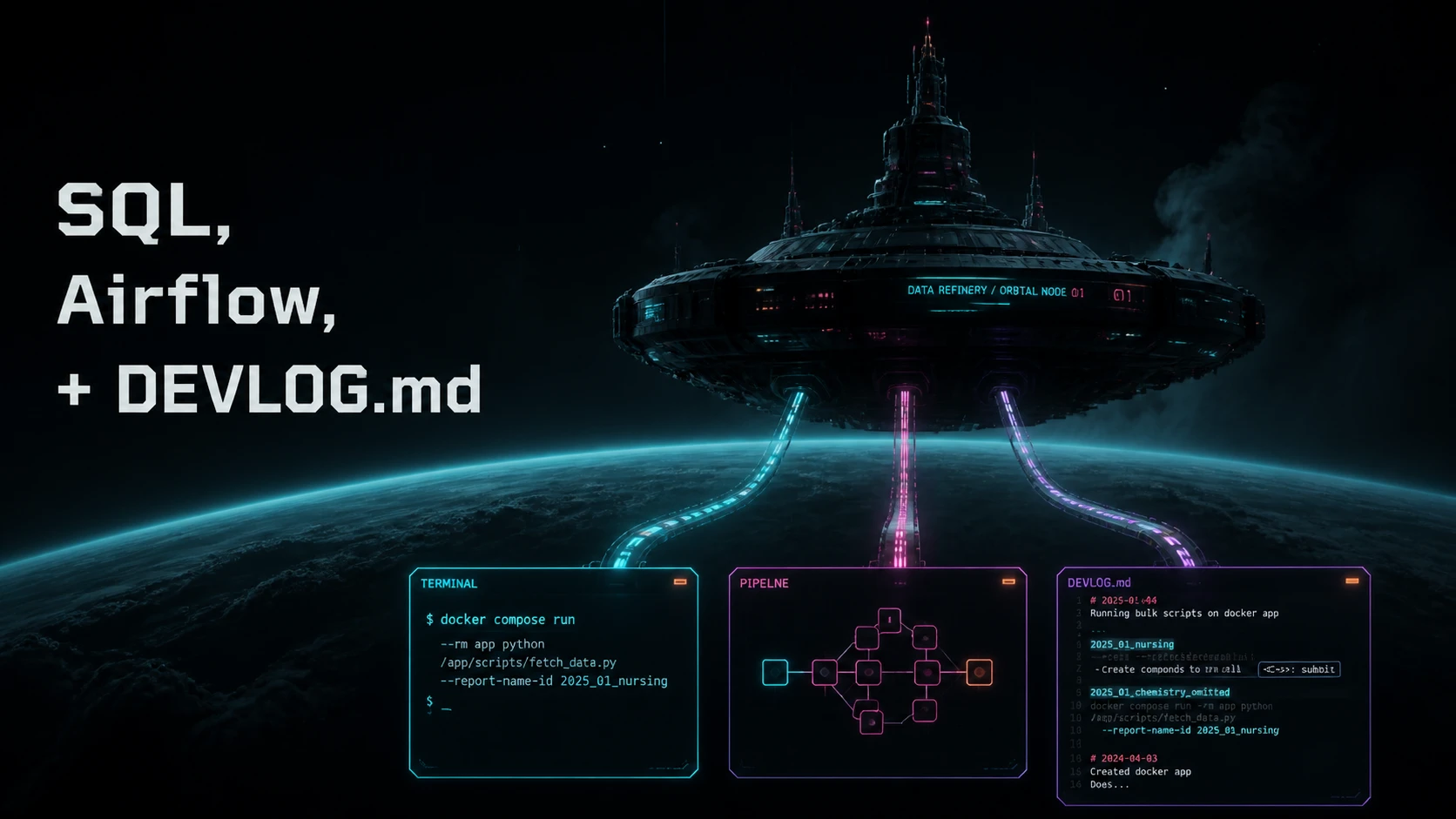
In this post, I’ll show you some of the ways that I’ve been use AI for my work as a data engineer.
You can take the ideas that I’m about to show you and try them with conventional AI tools (e.g. chat.openai.com or claude.ai), but the spirit of this post is to use integrated AI tools, like Cursor for example.
Since I’m a Neovim guy, I’ll be using the Avante AI plugin for NeoVim, which I have been verrrrrry much enjoying.
We’ll cover:
- Using
DEVLOG.mdto track work and scripts - Automating command generation
- Enhancing SQL workflows with AI
- Streamlining Airflow DAG creation
- Improving documentation with AI-powered formatting
I also have a video version of this post:
🎥 Watch the Video
https://www.youtube.com/watch?v=ANdjKom1Mh0
🪷 Get the Source Code
https://github.com/zazencodes/zazencodes-season-2/tree/main/src/neovim-ai-data-eng-tricks
Tracking Work with DEVLOG.md

A developer log (DEVLOG.md) is a simple and effective method that I’ve been using to maintain a historical log of the work that I do on a project.
I use it to:
- Track general progress and document decisions
- Keep a record of project tasks, e.g. running scripts
- Log changes, e.g. for data migrations
Below is an example of what my DEVLOG.md might look like.
This is an actual excerpt from one of my DEVLOG files (with some information obfuscated):
2025-01-04
Updating extract data source. Need to add:
- url
- competitor_url
- competitor_url_position
This ended up being pretty easy to implement because I was already extracting it. I only changed
domain/rankings.pyCommand to run for testing locally. We run the extract in
sequential.pyusing this command. Need to be running docker for this to work.docker compose run --rm --build app python /app/scripts/run_extract.py \ --start-date '2025-02-12' --end-date '2025-02-12' \ --skip-missing-serp-logging --testTODO
- [ ] Once confirmed working, push code and update remotes
2025-01-02
Migrated to new schema. Added
search_intent(STRING) column:ALTER TABLE my_table ADD COLUMN search_intent STRING; UPDATE my_table SET search_intent = CASE WHEN search_query LIKE '%buy%' THEN 'Transactional' WHEN search_query LIKE '%how to%' THEN 'Informational' ELSE 'Unknown' END;
As you can see, using a DEVLOG.md helps me maintain a history of past work, which is especially useful when working with data migrations and operational workflows.
In many of the examples below, it’s assumed that I’m working with code snippets in a “
DEVLOG.md-style” Markdown file such as this.
Automating Command Generation

I love automating boring stuff with AI. When I catch myself having to do something repeatedly, I know there’s an opportunity for an LLM to take the wheel.
Example: Running Multiple Docker Commands
Let’s say that I need to run a Docker command for some set of report ids:
2025_01_nursing
2025_01_earth
2025_01_chemistry
2025_01_nursing_omitted
2025_01_earth_omitted
2025_01_chemistry_omitted

docker compose run --rm app python /app/scripts/fetch_serps.py \
    --report-name-id 2025_01_nursing
Before AI, I’d have to manually copy and tweak each command, like this:
docker compose run --rm app python /app/scripts/fetch_serps.py \
    --report-name-id 2025_01_nursing

docker compose run --rm app python /app/scripts/fetch_serps.py \
    --report-name-id 2025_01_earth

docker compose run --rm app python /app/scripts/fetch_serps.py \
    --report-name-id 2025_01_chemistry

etc...
And yes, there’s some fancy way to do this with Neovim or sed or whatever. But…
With AI, I can
1️⃣ Select all of the text, including the docker command and the report ids above it.
2️⃣ Use the AI tool to “edit the block”.
3️⃣ Prompt with something like:
Duplicate this docker compose run command for each report-name-id in the list above.
4️⃣ Instantly receive a batch of commands, ready to copy and run!
This type of thing can be applied to so many use cases. Once you start looking, you’ll see them everywhere.
AI-Powered SQL Trick

SQL, as I talk about in my AI Engineering Roadmap course, is really important and prevalent for technical data professionals.
It’s super old, and — when it comes to AI — LLMs are super good at generating it.
Example: Merging Tables with Regex Matching
Let’s have a look at a situation where I got some help from an LLM to write a SQL query for me.
For one project, I needed to match product URLs to categories using regular expressions. The goal was to map product URLs to categories from a lookup table.
Here’s the setup:
Source Table: product_urls
| url | revenue |
|---|---|
| /shoes/nike-air-max-90 | 299.99 |
| /shoes/adidas-ultraboost-21 | 179.99 |
| /clothing/nike-tech-fleece | 129.99 |
Dimension Table: product_categories
| pattern | category | priority |
|---|---|---|
| nike.*shoes | Nike Shoes | 1 |
| adidas.*shoes | Adidas Shoes | 1 |
| nike.*clothing | Nike Apparel | 1 |
Generating the SQL Query with AI
Now with a prompt like:
Write SQL to merge two tables using a regex match.
Only join on one record in the dimension table.
Include comments on opportunities for optimizations.

-- Source table: product_urls
| url                           | revenue |
|-------------------------------|---------|
| /shoes/nike-air-max-90       | 299.99  |
| /shoes/adidas-ultraboost-21  | 179.99  |
| /clothing/nike-tech-fleece    | 129.99  |

-- Dimension table: product_categories
| pattern         | category    | priority |
|----------------|-------------|----------|
| nike.*shoes    | Nike Shoes  | 1        |
| adidas.*shoes  | Adidas Shoes| 1        |
| nike.*clothing | Nike Apparel| 1        |
I can get out the following SQL:
WITH RankedMatches AS (
    SELECT
        p.url,
        p.revenue,
        pc.category,
        pc.pattern,
        ROW_NUMBER() OVER (
            PARTITION BY p.url
            ORDER BY pc.priority, pc.pattern
        ) as match_rank
    FROM product_urls p
    JOIN product_categories pc
        ON REGEXP_CONTAINS(p.url, pc.pattern)
    /* Add WHERE clause here to pre-filter data if possible */
    WHERE p.revenue > 0
)
SELECT
    url,
    revenue,
    category
FROM RankedMatches
WHERE match_rank = 1
/* Add appropriate ORDER BY if needed for downstream processing */
/* Consider these table optimizations:
- Add clustering on url column in product_urls
- Add partitioning on date columns if they exist
- Create materialized view for frequently accessed patterns
- Index the pattern column in product_categories
- Pre-compile common regex patterns
*/;
Adapting SQL for BigQuery
Here’s another easy go-to use-case for generative AI.
Since I work with Google BigQuery, I can prompt the LLM to give me SQL in the proper format:
Re-write this SQL for BigQuery.
We could do the same for any SQL dialect as needed.
Optimizing SQL for Performance
We can also attempt to optimize SQL queries:
Optimize this SQL for performance.
But this doesn’t always work so well. A query that’s worth optimizing deserves a good conversation with a reasoning model (like GPT-o1, for example).
Automating Airflow DAGs with AI

Airflow is a critical tool in data engineering workflows, and generative AI can help me quickly create DAG templates and build out workflows.
Let’s walk through an example of creating a DAG to do a simple (but typical) task.
Step 1: Generating an Airflow DAG Template
To start, I’ll create a new Airflow script:
airflow_dag.py
And then prompt to write me some boilerplate code:
Create an Airflow DAG template with a PythonOperator.
Providing me with a fully functional DAG template to get started with:
from airflow import DAG
from airflow.operators.python import PythonOperator
from datetime import datetime

def sample_task():
    print("Hello from Airflow!")

default_args = {
    'owner': 'airflow',
    'start_date': datetime(2025, 1, 1),
    'retries': 1,
}

with DAG(
    dag_id='sample_dag',
    default_args=default_args,
    schedule_interval='@daily',
    catchup=False,
) as dag:

    task = PythonOperator(
        task_id='hello_task',
        python_callable=sample_task,
    )

    task
Step 2: Writing a Function to Process Data from S3
Next, I created a function to download a file from S3, process it with Pandas, and save it locally.
I highlighted the sample_task() function and prompted:
Write a function to download a file from S3, read it with Pandas, and save locally.
This produced the following:
import pandas as pd
import boto3

def process_data():
    s3 = boto3.client('s3')
    bucket_name = 'my-bucket'
    file_key = 'data.csv'

    obj = s3.get_object(Bucket=bucket_name, Key=file_key)
    df = pd.read_csv(obj['Body'])

    df.to_csv('/tmp/processed_data.csv', index=False)
    print("Data saved locally.")
Step 3: Improving Function Structure & Documentation
Next I wanted to:
- Refactor the function into smaller, reusable components
- Add documentation and type hints
I prompted:
Break this function into smaller functions and add docstrings.
The LLM refactored my function into cleaner, modular code:
import pandas as pd
import boto3

def download_file_from_s3(bucket_name: str, file_key: str) -> pd.DataFrame:
    """Download a file from S3 and return it as a Pandas DataFrame."""
    s3 = boto3.client('s3')
    obj = s3.get_object(Bucket=bucket_name, Key=file_key)
    return pd.read_csv(obj['Body'])

def save_data_locally(df: pd.DataFrame, file_path: str) -> None:
    """Save a Pandas DataFrame to a local file."""
    df.to_csv(file_path, index=False)
    print(f"Data saved at {file_path}")

def process_data():
    """Main function to process data from S3."""
    df = download_file_from_s3('my-bucket', 'data.csv')
    save_data_locally(df, '/tmp/processed_data.csv')
Step 4: Updating the DAG’s Schedule
The default schedule ran daily at midnight, but I needed it to run weekly on Sundays at 2 AM.
Instead of manually looking up cron expressions, I simply prompted:
Change schedule to run weekly on Sundays at 2 AM.
And the model automatically updated the cron schedule in my DAG:
schedule_interval='0 2 * * 0' # Runs every Sunday at 2 AM
Step 5: Generating Functions from Docstring
Next, I wanted to generate a function to log summary statistics for a Pandas DataFrame.
I prompted AI:
Write a function for the following docstring.
“”"Logs summary statistics for a Pandas DataFrame.
This function calculates and logs basic summary statistics for a pandas DataFrame,
including the shape, data types, null value counts, and basic descriptive statistics
for numeric columns.Args:
df (pd.DataFrame): The input pandas DataFrame to analyzeReturns:
None: This function only logs output and does not return anything
“”"
This pattern involves writing a function definition that includes a detailed docstring, and then have the LLM generate our corresponding code.
Automating Documentation with AI

Documentation can be time-consuming and tedious. AI hasn’t exactly solved this yet, but it makes the process much less painful.
Here’s a few specific use cases.
Formatting SQL Queries for Documentation
When writing developer logs (e.g. my DEVLOG.md), README files, or other forms of documentation, I often include SQL queries.
But sometimes my SQL isn’t formatted properly. AI can fix that:
Example: Raw SQL Output
WITH user_metrics AS (SELECT user_id, DATE_TRUNC('month', login_date) AS login_month, COUNT(*) AS monthly_logins, MAX(login_date) AS last_login, MIN(login_date) AS first_login FROM user_logins WHERE login_date >= '2023-01-01' GROUP BY user_id, DATE_TRUNC('month', login_date)), user_rankings AS (SELECT user_id, login_month, monthly_logins, ROW_NUMBER() OVER (PARTITION BY user_id ORDER BY monthly_logins DESC) AS top_months, AVG(monthly_logins) OVER (PARTITION BY user_id) AS avg_monthly_logins, LAG(monthly_logins, 1) OVER (PARTITION BY user_id ORDER BY login_month) AS prev_month_logins, LEAD(monthly_logins, 1) OVER (PARTITION BY user_id ORDER BY login_month) AS next_month_logins FROM user_metrics) SELECT u.user_id, SUM(u.monthly_logins) AS total_logins, COUNT(DISTINCT u.login_month) AS active_months, MAX(u.last_login) AS most_recent_login, MIN(u.first_login) AS earliest_login, MAX(CASE WHEN r.top_months = 1 THEN r.monthly_logins END) AS best_month_logins, ROUND(AVG(r.avg_monthly_logins), 2) AS avg_logins_per_month, SUM(CASE WHEN r.monthly_logins > COALESCE(r.prev_month_logins, 0) THEN 1 ELSE 0 END) AS months_with_growth FROM user_metrics u LEFT JOIN user_rankings r ON u.user_id = r.user_id AND u.login_month = r.login_month GROUP BY u.user_id HAVING total_logins > 10 ORDER BY total_logins DESC;
OK so this example is pretty unrealistic. Nobody would write a SQL command formatted this way.
But it does demonstrate how effective LLMs are at formatting SQL.
I can simply highlight the SQL and prompt the LLM:
Format the SQL for Markdown documentation.
And AI automatically transforms it into a readable format:
WITH user_metrics AS (
    SELECT
        user_id,
        DATE_TRUNC('month', login_date) AS login_month,
        COUNT(*) AS monthly_logins,
        MAX(login_date) AS last_login,
        MIN(login_date) AS first_login
    FROM user_logins
    WHERE login_date >= '2023-01-01'
    GROUP BY user_id, DATE_TRUNC('month', login_date)
),
user_rankings AS (
    SELECT
        user_id,
        login_month,
        monthly_logins,
        ROW_NUMBER() OVER (PARTITION BY user_id ORDER BY monthly_logins DESC) AS top_months,
        AVG(monthly_logins) OVER (PARTITION BY user_id) AS avg_monthly_logins,
        LAG(monthly_logins, 1) OVER (PARTITION BY user_id ORDER BY login_month) AS prev_month_logins,
        LEAD(monthly_logins, 1) OVER (PARTITION BY user_id ORDER BY login_month) AS next_month_logins
    FROM user_metrics
)
SELECT
    u.user_id,
    SUM(u.monthly_logins) AS total_logins,
    COUNT(DISTINCT u.login_month) AS active_months,
    MAX(u.last_login) AS most_recent_login,
    MIN(u.first_login) AS earliest_login,
    MAX(CASE WHEN r.top_months = 1 THEN r.monthly_logins END) AS best_month_logins,
    ROUND(AVG(r.avg_monthly_logins), 2) AS avg_logins_per_month,
    SUM(CASE WHEN r.monthly_logins > COALESCE(r.prev_month_logins, 0) THEN 1 ELSE 0 END) AS months_with_growth
FROM user_metrics u
LEFT JOIN user_rankings r
    ON u.user_id = r.user_id
    AND u.login_month = r.login_month
GROUP BY u.user_id
HAVING total_logins > 10
ORDER BY total_logins DESC;
Generating Markdown Tables from Schema Definition
Another neat little use case of generative AI is to convert a database schema definition into a Markdown table:
Example: Raw Schema Output
[
    {"name": "dt", "type": "DATE", "mode": "NULLABLE"},
    {"name": "page_type_example_client", "type": "STRING", "mode": "NULLABLE"},
    {"name": "url", "type": "STRING", "mode": "NULLABLE"},
    {"name": "device_name", "type": "STRING", "mode": "NULLABLE"},
    {"name": "country_cd", "type": "STRING", "mode": "NULLABLE"},
    {"name": "sessions", "type": "INTEGER", "mode": "NULLABLE"},
    {"name": "bounce_sessions", "type": "INTEGER", "mode": "NULLABLE"},
    {"name": "orders", "type": "INTEGER", "mode": "NULLABLE"},
    {"name": "sales", "type": "FLOAT", "mode": "NULLABLE"}
]
I can highlight the schema and prompt:
Convert this into a Markdown table.
And boom, we get something like the following:
| Column Name | Type | Mode |
|---|---|---|
dt |
DATE | NULLABLE |
page_type_example_client |
STRING | NULLABLE |
url |
STRING | NULLABLE |
device_name |
STRING | NULLABLE |
country_cd |
STRING | NULLABLE |
sessions |
INTEGER | NULLABLE |
bounce_sessions |
INTEGER | NULLABLE |
orders |
INTEGER | NULLABLE |
sales |
FLOAT | NULLABLE |
Isn’t it beautiful?
Closing Thoughts & What’s Next
That’s all I’ve got for you today. Everything you saw here was actually something I did in my work as a data engineer.
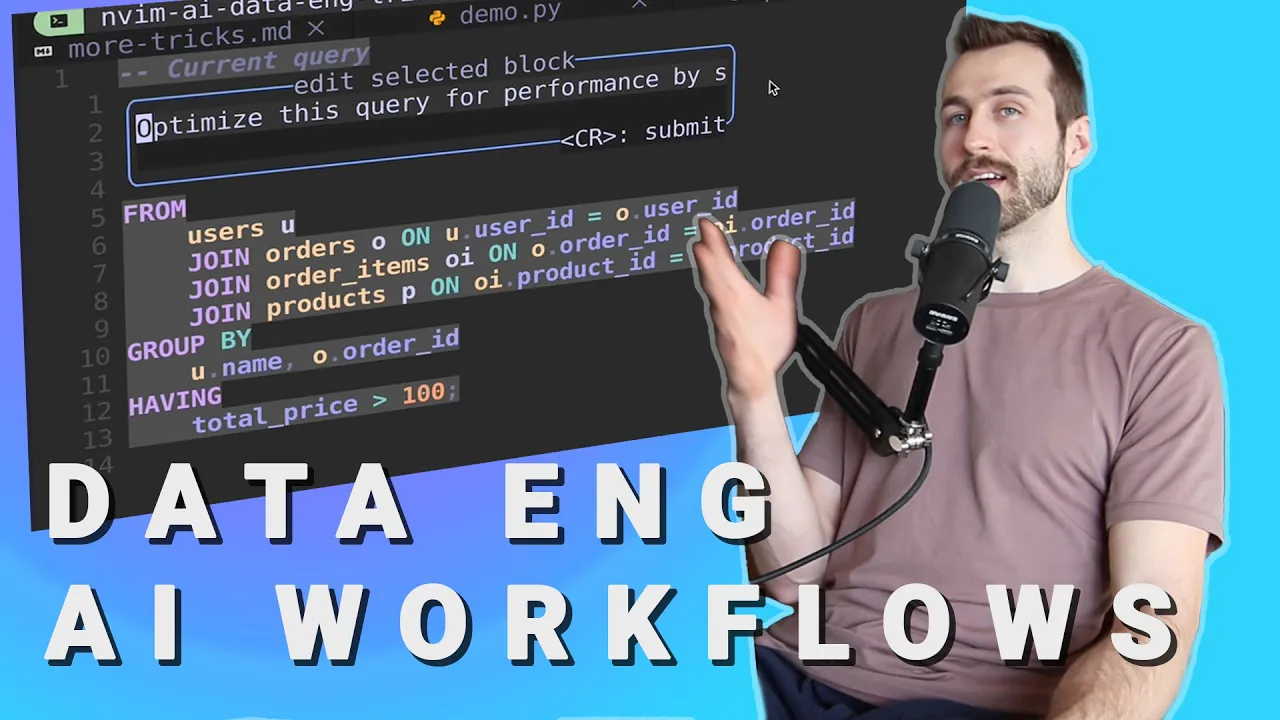
If you want to see another bunch of AI tricks for data engineering then you should check out my video 12 Neovim AI data engineering use cases.
🎥 Watch the Video
Level-up in 2025
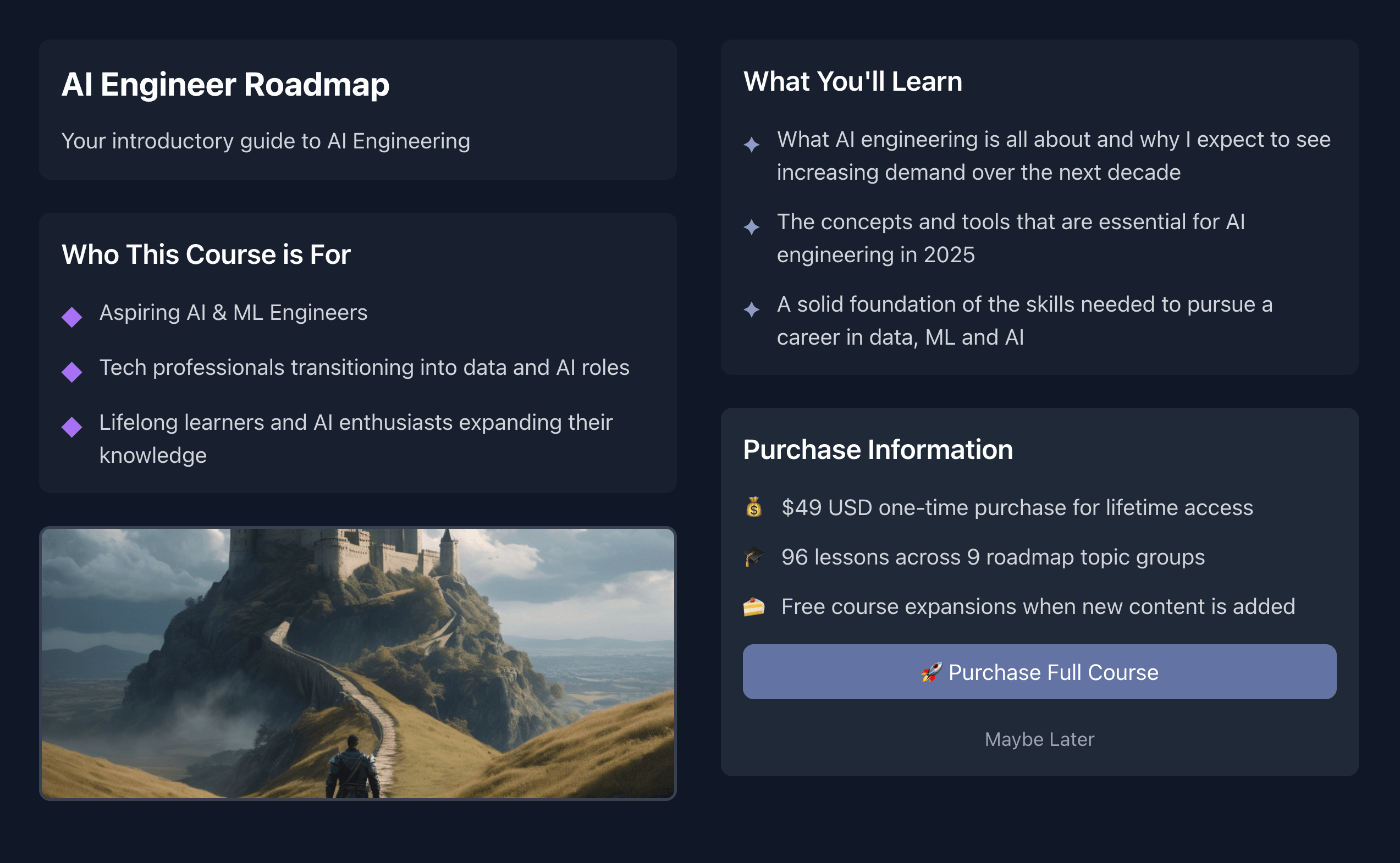
If you’re serious about AI-powered development, then you’ll enjoy my new AI Engineering course which is live on ZazenCodes.com.
It covers:
- AI engineering fundamentals
- LLM deployment strategies
- Machine learning essentials
Thanks for reading and happy coding!

ZazenCodes
Agentic Coding Club

- Weekly LIVE build sessions — 30 min building, 30 min Q&A
- Free to join, full course library with Premium
Comments (0)
No comments yet.